Best Surge Protection for PLC and Control Panels (2026 Buyer’s Guide)

A single lightning-induced transient or a nearby motor’s inductive kickback can take out a PLC’s power supply, fry an analog input card, or silently degrade a communication port until it fails weeks later.

If you’ve ever replaced a “randomly dead” I/O module after a storm rolled through the plant, you’ve already paid the tuition that surge protection is supposed to save you.

This guide breaks down the surge protection devices (SPDs) worth specifying for PLCs and control panels, where they belong in the panel, and how to size them so you’re not buying protection that looks good on paper but does nothing in the field.

Why PLCs Are So Vulnerable to Surges

PLCs sit at the intersection of three surge-prone pathways at once:

AC power input

Main-borne transients from utility switching, lightning strikes on nearby lines, or large motors starting on the same feeder.

I/O wiring

Field cables that run alongside VFDs, contactors, and motor starters pick up induced surges even without a direct lightning hit.

Communication lines

Ethernet, RS-485, and 4-20 mA loops that run long distances between panels are exposed to ground potential differences and induced voltage, especially outdoors or between buildings.

Unlike a motor or a simple relay, a PLC’s input/output circuitry uses semiconductor components with microsecond-scale damage thresholds.

A transient that a contactor coil would never notice can put a permanent hole in an optocoupler or ADC.

Types of Surge Protection Devices for Control Panels

Type 1 and Type 2 SPDs (Power Feed Protection)

Type 1 devices are rated for direct or partial lightning strike energy and are typically installed at the service entrance.

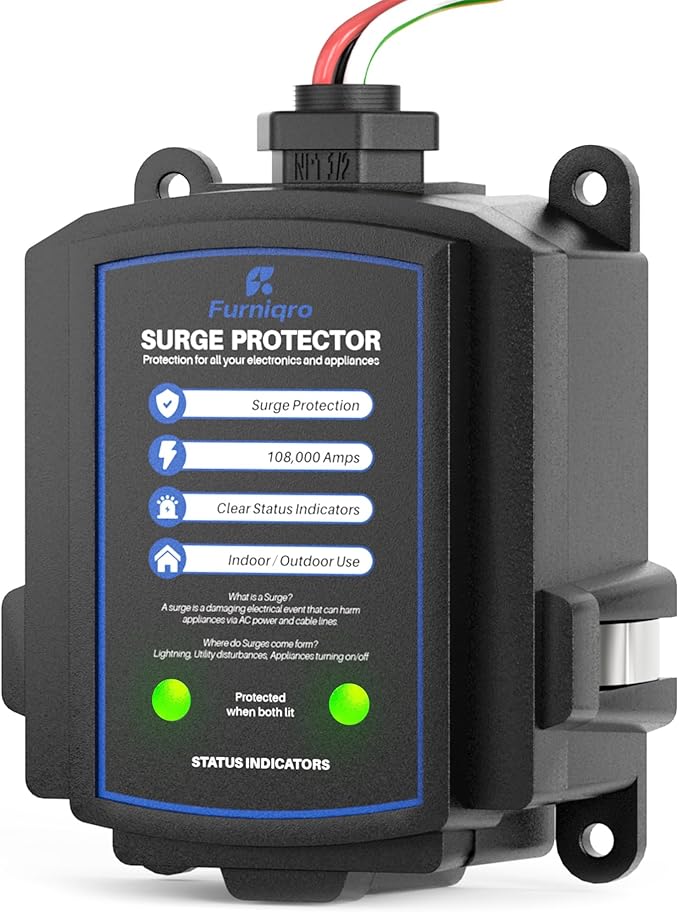
Type 2 devices handle the residual and induced surges that get through and are the ones you’ll usually mount inside or immediately upstream of the control panel, on the main incoming feed.

For most industrial control panels, a DIN-rail-mounted Type 2 SPD on the panel’s main AC feed is the baseline, non-negotiable layer of protection.

Type 3 SPDs (Point-of-Use Protection)

Type 3 devices are lower-energy, fast-response units meant to sit close to sensitive equipment, directly ahead of the PLC power supply, an HMI, or a VFD control input.

They complement a Type 2 device rather than replacing it; think of Type 2 as the first line of defense and Type 3 as the fine cleanup stage closest to the sensitive load.

Signal and Data Line Protectors

Separate from power protection, these guard.

Analog I/O (4-20mA, 0-10V)

Inline surge protectors on transmitter loops, especially for field devices with long cable runs

RS-485/Modbus

Protects communication ports on remote I/O and VFDs from induced surges on long serial runs

Ethernet

Surge-protected patch panels or inline Ethernet SPDs for links between buildings or panels with separate grounding points

Skipping data line protection is one of the most common gaps: panels get a nice SPD on the power feed, and the RS-485 run to a remote panel 200 meters away gets nothing.

Comparison: Surge Protection Options for PLC Panels

Protection TypeWhere It GoesProtects AgainstTypical Use Case
Type 1 SPDService entrance / main panelDirect/partial lightning strike energyFacility main distribution board
Type 2 SPDControl panel main AC feedInduced surges, switching transientsEvery PLC control panel is DIN-rail mounted
Type 3 SPDDirectly ahead of PLC power supplyResidual surges after Type 2 clampsHigh-value or highly sensitive PLC/HMI loads
Analog signal SPDInline on 4-20mA/0-10V loopsInduced surges on field wiringLong transmitter runs, outdoor sensors
RS-485/Modbus SPDInline on serial comm linesGround potential differences, EMI-coupled transientsRemote I/O, inter-panel comms
Ethernet SPDInline on network dropsInduced surges on network cablingBuilding-to-building or panel-to-panel Ethernet

Where to Install Surge Protection in the Panel

Placement matters as much as device selection. A few field-tested rules:

  1. Mount the Type 2 SPD as close as possible to where power enters the panel, with the shortest, most direct lead length to ground. Long or coiled leads add inductance that reduces the device’s effectiveness exactly when you need it most.
  2. Bond the SPD’s ground connection to the panel’s main ground bus, not a daisy-chained ground from another device.
  3. Keep signal and communication SPDs close to the port they’re protecting, not bundled somewhere else in the panel; the unprotected length of cable between the SPD and the PLC is still exposed.
  4. Separate protected and unprotected wiring inside the panel where practical, so a surge on an unprotected circuit doesn’t couple into a protected one running alongside it.
Best Surge Protection for PLC and Control Panels

Sizing and Selection Checklist

When specifying an SPD for a control panel, check.

Nominal discharge current (In) and maximum discharge current (Imax)

Sized to the exposure level of the installation (indoor panel vs. panel fed from an exposed overhead line)

Voltage protection level (Up)

should be well below the PLC power supply’s rated withstand voltage

Response time

Sub-nanosecond response matters more for Type 3 devices protecting semiconductor-based I/O

Status indication

A visual or dry-contact “SPD failed” indicator so a sacrificed protector doesn’t go unnoticed for months

UL 1449 listing (or the applicable regional standard)

Confirms independently tested performance, not just a manufacturer’s claim

Common Mistakes That Defeat Surge Protection

Long ground leads

Every extra centimeter of lead length adds inductance and raises the let-through voltage during a fast transient

No signal-line protection

A well-protected power feed doesn’t help if the surge comes in through a 4-20mA loop instead.

Ignoring SPD failure indicators

SPDs sacrifice themselves to protect downstream equipment; an unmonitored, already-failed unit gives false confidence.

Under-sizing for the exposure level

A panel fed from overhead lines in a lightning-prone region needs a higher discharge current rating than an indoor panel fed from underground service.

Mixing grounding systems

Bonding an SPD to an isolated or separate ground instead of the panel’s single-point ground reference undermines the whole strategy.

FAQ

Do I need surge protection if my PLC panel is indoors?

Yes. Indoor panels are still exposed through the AC feed, field wiring that runs near VFDs and motor starters, and communication lines to remote panels, none of which require a direct lightning strike to pick up a damaging transient.

Is a surge protector the same as a UPS?

No. A UPS protects against power loss and sags; it doesn’t clamp fast transients the way an SPD does.

Many critical panels use both a UPS for continuity and an SPD for transient protection.

How often do SPDs need to be replaced?

SPDs degrade with each surge event they absorb. Devices with a status indicator should be checked during routine panel inspections, and any unit showing a “replace” or fault indication should be swapped immediately, since a degraded SPD may no longer clamp effectively.

Can one SPD protect the whole panel?

A single Type 2 SPD on the main AC feed protects against power-line surges but does nothing for signal and communication lines. Comprehensive protection means separate devices for power, analog I/O, and data lines.

Best Books on SCADA and Instrumentation (Beginner to Advanced Guide)

If you work in industrial automation, control systems, or technical support, mastering SCADA and instrumentation is not optional. It’s foundational.

Whether you’re troubleshooting a PLC communication issue, commissioning a new system, or designing a process control loop, your depth of knowledge determines how fast and effectively you solve problems.

While online tutorials and vendor documentation are useful, the fastest way to build deep, structured expertise is still through high-quality books written by industry experts.

In this guide, you’ll discover the best books on SCADA and instrumentation, carefully selected for real-world relevance, clarity, and long-term value.

Whether you’re just starting out or already working in the field, this list will help you choose the right resources to accelerate your growth.

Why Books Still Matter in SCADA and Instrumentation

Most technicians and engineers today rely heavily on YouTube, forums, and vendor manuals. While those are helpful, they often lack structure. Books provide:

  • Systematic learning paths (not random tips)
  • Deeper understanding of concepts (not just “how,” but “why”)
  • Real-world engineering context
  • Long-term reference material

If your goal is to move from “parts replacer” to true problem solver, books are one of the highest-ROI investments you can make.

How to Choose the Right SCADA and Instrumentation Book

Before jumping into recommendations, here’s how to pick the right book for your level and goals:

Skill Level

  • Beginner: Look for simplified explanations and minimal math
  • Intermediate: Focus on practical applications and system design
  • Advanced: Go for deep technical references and standards

Practical vs. Theoretical

If you work in the field, prioritize books with the following.

  • Case studies
  • Real-world examples
  • Troubleshooting scenarios

Vendor-Neutral vs. Vendor-Specific

  • Vendor-neutral books = broader understanding
  • Vendor-specific = useful for your current job

Relevance to Modern Systems

Look for books that include

  • Networking (Ethernet/IP, Modbus TCP, etc.)
  • Cybersecurity
  • Integration with IoT or cloud systems

Best SCADA Books (Top Picks)

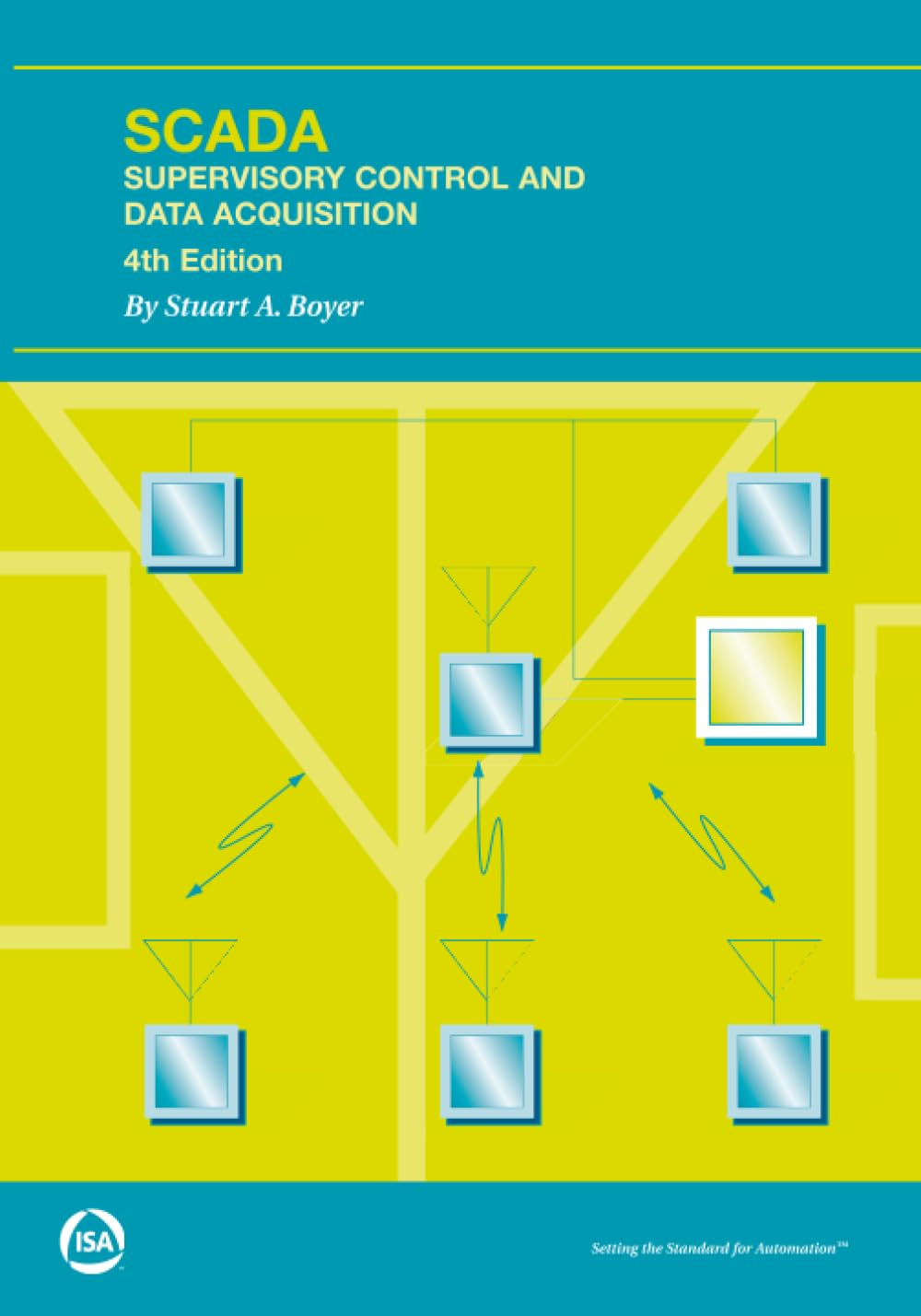
SCADA: Supervisory Control and Data Acquisition by Stuart A. Boyer

This is one of the most well-known introductory books on SCADA systems.

Why it stands out

  • Clear explanation of SCADA architecture
  • Covers RTUs, HMIs, and communication systems
  • Beginner-friendly without being overly simplistic

Best for

  • Beginners transitioning into automation
  • Technicians entering SCADA roles

Pros

  • Easy to understand
  • Strong foundational concepts
  • Well-structured

Cons

  • Slightly dated in some areas

👉 Check price and availability on Amazon

Practical SCADA for Industry: David Bailey & Edwin Wright

If you want something more hands-on, this book is a strong choice.

Why it stands out

  • Focus on industrial applications
  • Includes real-world implementation examples
  • Covers SCADA networking and architecture

Best for

  • Field technicians
  • Engineers working with live systems

Pros

  • Practical approach
  • Industry-focused
  • Good balance between theory and application

Cons

  • Less beginner-friendly

👉 View current pricing here

SCADA Systems and the Internet of Things: Alasdair Gilchrist

A modern take on SCADA, especially relevant in today’s connected environments.

Why it stands out

  • Bridges SCADA with IoT
  • Covers cybersecurity concerns
  • Forward-looking perspective

Best for

  • Engineers working with modern systems
  • Professionals interested in Industry 4.0

Pros

  • Up-to-date concepts
  • Strong on integration topics
  • Relevant for future trends

Cons

  • Not ideal for beginners

👉 See latest edition on Amazon

Industrial Network Security: Eric D. Knapp

SCADA without cybersecurity knowledge is a risk.

Why it stands out

  • Deep dive into industrial cybersecurity
  • Real-world attack scenarios
  • Focus on protecting control systems

Best for

  • Advanced engineers
  • OT cybersecurity professionals

Pros

  • Highly relevant today
  • Practical security insights
  • Real-world case studies

Cons

  • Advanced-level material

👉 Check availability here

Best Instrumentation Books (Top Picks)

Instrument Engineers’ Handbook: Béla G. Lipták

This is often referred to as the “bible” of instrumentation.

Why it stands out

  • Extremely comprehensive
  • Covers everything from sensors to control systems
  • Used by professionals worldwide

Best for

  • Experienced engineers
  • Deep technical reference

Pros

  • Authoritative
  • Detailed
  • Long-term reference

Cons

  • Expensive
  • Not beginner-friendly

👉 Check latest volumes and pricing

Practical Instrumentation for Automation and Process Control: William Bolton

One of the best entry points into instrumentation.

Why it stands out

  • Simple explanations
  • Practical focus
  • Easy to follow

Best for

  • Beginners
  • Students

Pros

  • Clear and accessible
  • Good foundation builder
  • Well-structured

Cons

  • Limited depth for advanced users

👉 View current price on Amazon

Process Control Instrumentation Technology: Curtis D. Johnson

A strong academic + practical hybrid.

Why it stands out

  • Covers control loops, sensors, transmitters
  • Strong on process control fundamentals

Best for

  • Engineering students
  • Intermediate learners

Pros

  • Balanced content
  • Widely used textbook
  • Solid technical depth

Cons

  • Some sections are theory-heavy.

👉 Check availability here

Instrumentation and Control Systems: William Bolton

Another excellent book for building foundational knowledge.

Why it stands out

  • Covers instrumentation + control systems together
  • Great progression from basics to intermediate

Best for

  • Early-career professionals
  • Technicians transitioning to engineering roles

Pros

  • Easy progression
  • Clear explanations
  • Good diagrams

Cons

  • Not highly specialized

👉 See pricing and reviews

Best Books for Learning SCADA and Instrumentation Together

In real-world automation jobs, SCADA and instrumentation are not separate. They are deeply interconnected.

A good engineer understands the following.

  • How sensors feed data
  • How control loops process signals
  • How SCADA visualizes and manages systems

Books that combine these perspectives help you.

  • Troubleshoot faster
  • Understand entire systems (not just parts)
  • Add more value in your role

SCADA and Instrumentation Books for Beginners

If you’re starting from scratch, here’s the smartest path.

Step 1: Learn Instrumentation Basics

Start with:

Step 2: Understand Control Systems

Move to:

Step 3: Learn SCADA Fundamentals

Then:

This sequence builds a solid foundation before complexity.

Advanced Books for Engineers and Specialists

Once you have real-world experience, move into the following.

  • System architecture design
  • Network integration
  • Cybersecurity
  • Optimization

Recommended:

  • Industrial Network Security
  • Advanced sections of Instrument Engineers’ Handbook

At this level, books become reference tools, not just learning materials.

Free Resources vs. Paid Books

Free Resources

Pros

  • Accessible
  • Up-to-date
  • Great for quick fixes

Cons

  • Fragmented
  • Often shallow
  • No structured learning

Paid Books

Pros

  • Structured learning
  • Deep understanding
  • Long-term value

Cons

  • Upfront cost

Verdict

If you’re serious about your career, books pay for themselves many times over.

How to Use These Books to Build Real-World Skills

Reading alone is not enough. Here’s how to turn knowledge into skill:

Combine Reading with Practice

  • Use simulators
  • Work with PLC software
  • Analyze real systems

Take Notes Actively

  • Summarize key concepts
  • Write your own explanations

Apply to Your Job

  • Relate concepts to real problems
  • Practice troubleshooting

Teach What You Learn

  • Write blog posts
  • Explain to colleagues
  • Create content

This is how you move from knowledge → mastery.

Recommended Learning Path (Step-by-Step)

  1. Learn sensors and instrumentation basics
  2. Understand process control loops
  3. Study SCADA architecture
  4. Learn industrial networking
  5. Add cybersecurity knowledge
  6. Apply everything in real systems

Follow this path, and you’ll become extremely valuable in the field.

Common Mistakes When Learning SCADA and Instrumentation

Focusing Only on Theory

You must practice.

Ignoring Networking

Modern SCADA = networking-heavy.

Not Troubleshooting Enough

Experience comes from solving problems.

Over-Relying on One Vendor

Learn principles, not just tools.

Quick Comparison Table

BookLevelBest For
SCADA: BoyerBeginnerFoundations
Practical SCADAIntermediateReal-world systems
SCADA + IoTAdvancedModern integration
Lipták HandbookAdvancedDeep reference
Bolton (Practical)BeginnerInstrumentation basics
JohnsonIntermediateProcess control

Final Thoughts: Which Book Should You Start With?

If you’re unsure, here’s a quick recommendation:

  • Beginner: Start with William Bolton’s instrumentation book
  • Intermediate: Move to Practical SCADA for Industry
  • Advanced: Invest in Lipták + Industrial Network Security

Ready to Level Up Your Automation Skills?

The difference between average technicians and high-value engineers is simple:

They invest in their knowledge.

If you’re serious about growing in industrial automation, pick one book from this list and start today.

👉 Check the latest prices and reviews using the links above
👉 Choose the book that matches your level
👉 Commit to finishing it

Your future self (and your career) will thank you.

FAQs

What is the best book to learn SCADA?

SCADA: Supervisory Control and Data Acquisition by Stuart Boyer is one of the best starting points.

Can I learn SCADA without PLC knowledge?

You can start, but understanding PLCs is essential for mastery.

Which book is best for instrumentation beginners?

Practical Instrumentation for Automation and Process Control by William Bolton is highly recommended.

Are SCADA books still relevant in 2026?

Yes, especially when combined with modern topics like networking and cybersecurity.

Pro Tip for Control Circuitry Readers
Combine these books with hands-on practice and real troubleshooting, and you’ll outperform 90% of professionals in this field.

Best DIN Rail Power Supply for PLC Panels

When designing or upgrading a PLC panel, one component quietly determines whether your system runs flawlessly or becomes a troubleshooting nightmare: the DIN rail power supply.

Most engineers focus on PLC selection, communication protocols, and I/O configuration. But in real-world industrial environments, many “mysterious” issues, random PLC resets, communication drops, and sensor instability are often traced back to poor or undersized power supplies.

This in-depth guide will walk you through everything you need to know about choosing the best DIN rail power supply for PLC panels, including top models, sizing calculations, real-world engineering insights, and best practices used in industrial automation.

What Is a DIN Rail Power Supply?

A DIN rail power supply is an industrial-grade AC-to-DC converter designed to mount directly onto a DIN rail inside control panels.

Its main role is to convert incoming AC voltage (typically 120V or 230V AC) into a stable 24V DC output, which powers the following.

  • PLC CPUs
  • Digital and analog I/O modules
  • Sensors and transmitters
  • Relays and contactors (via control circuits)
  • Industrial communication devices (switches, gateways, radios)
  • HMIs and industrial PCs

The reason 24V DC is the industry standard is simple: it offers the ideal balance between safety, efficiency, and compatibility across industrial devices.

Why the Power Supply Is Critical in PLC Panels

In theory, any 24V DC power supply should work. In practice, the quality of your PSU directly impacts:

System Stability

PLCs require stable voltage. Even small dips can cause the following.

  • CPU resets
  • I/O faults
  • Communication errors

Communication Reliability

Protocols like Ethernet/IP, Modbus TCP, and PROFINET are sensitive to the following.

  • Electrical noise
  • Voltage ripple
  • Grounding issues

A low-quality PSU increases noise and instability.

Equipment Lifespan

Poor power quality leads to the following.

  • Premature failure of sensors and modules
  • Overheating components
  • Increased maintenance costs

Downtime Risk

In critical industries (oil & gas, manufacturing, utilities), power supply failure = production loss.

Best DIN Rail Power Supplies for PLC Panels (Top Picks)

Below are industry-proven power supplies used by automation engineers worldwide.

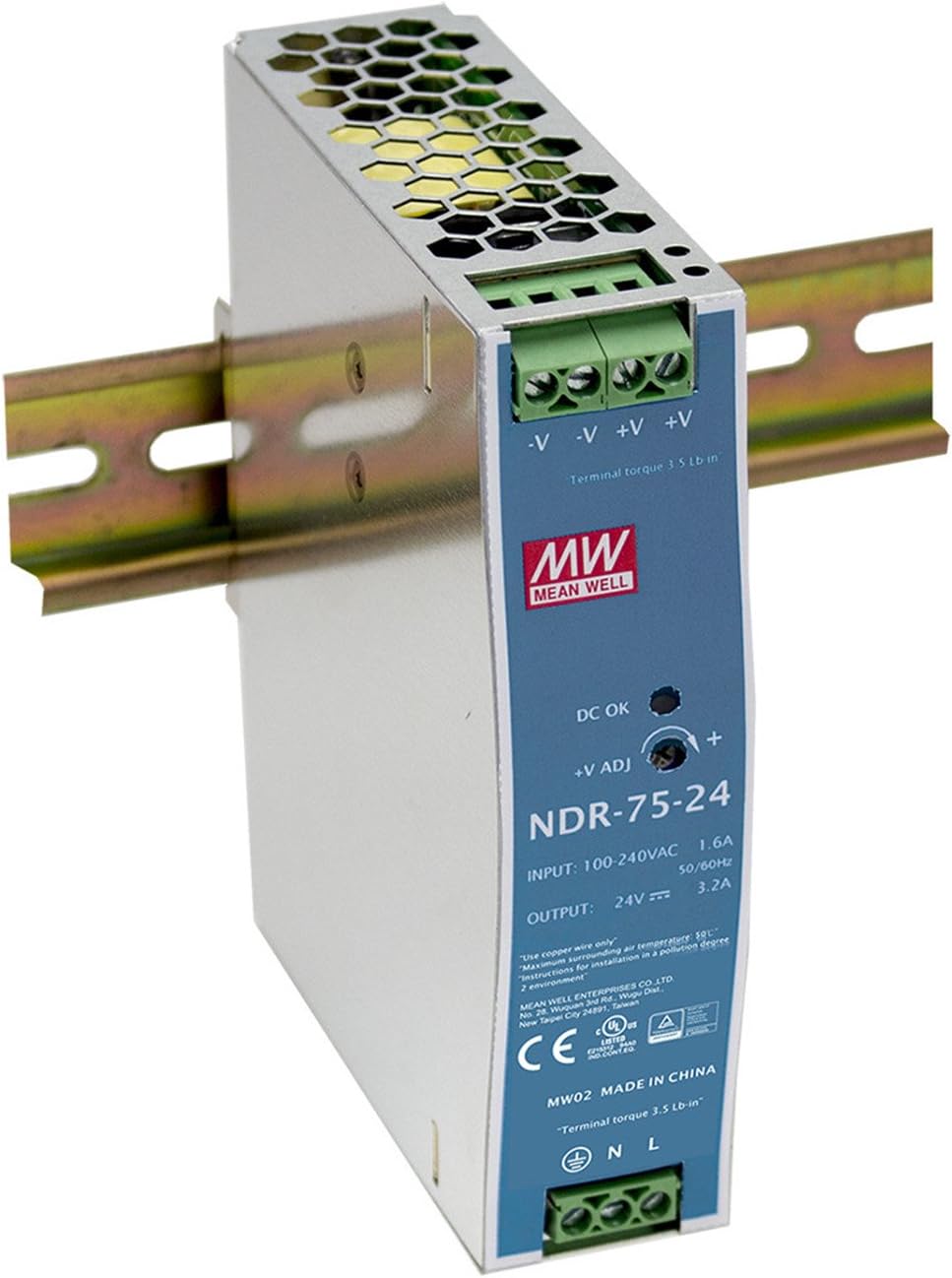
Mean Well HDR / NDR Series (Best Budget Option)

Overview
Mean Well is one of the most widely used brands globally, especially in cost-sensitive applications.

Why engineers choose it

  • Affordable without being unreliable
  • Widely available
  • Simple installation

Key Features

  • Output: 24V DC
  • Power range: 60W to 480W
  • Efficiency: ~88–90%
  • Overload and short-circuit protection

Pros

  • Excellent value for money
  • Compact size (great for small panels)
  • Reliable for non-critical systems

Cons

  • Limited diagnostics
  • Lower surge handling compared to premium brands

Best Use Case

  • Small machines
  • OEM panels
  • Non-critical industrial systems

Phoenix Contact QUINT Power (Best for Critical Systems)

Overview:
Phoenix Contact’s QUINT series is designed for high-reliability industrial environments.

Why it stands out:

  • Advanced protection features
  • Exceptional reliability
  • Built-in system monitoring

Key Features:

  • Output: 24V DC (up to 40A+)
  • Selective Fuse Breaking (SFB) technology
  • Dynamic Boost (extra current during startup)
  • Preventive function monitoring

Pros:

  • Extremely reliable
  • Handles inrush current well
  • Ideal for continuous operation

Cons:

  • Higher cost
  • Overkill for small systems

Best Use Case:

  • Oil & gas
  • Continuous manufacturing
  • Critical automation systems

Siemens SITOP PSU8600 (Best Smart Power Supply)

Overview
The SITOP PSU8600 is not just a power supply. It’s a smart power management system.

Why engineers love it

  • Communication-enabled
  • Modular design
  • Full diagnostics

Key Features

  • Ethernet/PROFINET integration
  • Channel-level monitoring
  • Modular expansion
  • Remote diagnostics

Pros

  • Ideal for Industry 4.0
  • Advanced load management
  • Predictive maintenance capability

Cons

  • Expensive
  • Requires configuration

Best Use Case

  • Smart factories
  • Large PLC systems
  • High-tech automation environments

Allen-Bradley 1606-XLS Series (Best for Rockwell Systems)

Overview
Designed for seamless integration with Rockwell Automation environments.

Key Features

  • Output: 24V DC
  • High efficiency (~94%)
  • Wide temperature range

Pros

  • Trusted in North American industries
  • Strong compatibility with Rockwell PLCs
  • Durable design

Cons

  • Premium pricing
  • Limited smart features compared to SITOP

Best Use Case

  • Rockwell-based PLC panels
  • Harsh industrial environments

Schneider Electric Phaseo (Best Mid-Range Option)

Overview
A solid balance between cost and performance.

Key Features

  • Output: 24V DC
  • Good overload capacity
  • Compact design

Pros

  • Reliable and affordable
  • Easy integration
  • Widely supported

Cons

  • Fewer advanced features

Best Use Case

  • General industrial applications
  • Medium-sized PLC panels

How to Size a DIN Rail Power Supply (Step-by-Step)

Sizing is where most mistakes happen.

Step 1: List All Loads

Include

  • PLC CPU
  • Each I/O module
  • Sensors
  • HMI
  • Communication devices

Step 2: Calculate Total Current

Example:

  • PLC CPU: 1.2A
  • I/O modules: 2.5A
  • Sensors: 1.0A
  • HMI: 1.5A

Total = 6.2 A

Step 3: Add Safety Margin

Add 20–30%:

6.2A × 1.3 = 8.06A

👉 Choose a 10A power supply.

Step 4: Consider Startup Current

Some devices draw higher current at startup:

  • Relays
  • Contactors
  • Motors (control side)

Choose a PSU with boost capability if needed.

Redundancy: When You Absolutely Need It

For critical systems, use:

Dual Power Supplies + Redundancy Module

Benefits:

  • Zero downtime if one PSU fails
  • Load sharing
  • Improved reliability

Typical setup:

  • 2 × 24V power supplies
  • 1 redundancy module

Key Features to Look For

Efficiency (>90%)

  • Less heat
  • Lower energy consumption
  • Longer lifespan

Protection Features

Must include:

  • Overvoltage protection
  • Overcurrent protection
  • Short-circuit protection
  • Thermal shutdown

Power Boost Capability

Helps during:

  • Startup surges
  • Temporary overloads

Low Ripple and Noise

Critical for:

  • Communication networks
  • Analog signals

Wide Input Voltage Range

Useful for:

  • Global deployments
  • Unstable power grids

Environmental Considerations

Industrial environments are harsh. Consider.

Temperature

  • Standard: -10°C to +60°C
  • High-end: up to +70°C

Vibration

Important for:

  • Mobile equipment
  • Heavy machinery

Dust and Humidity

Choose rugged designs for

  • Mining
  • Outdoor installations

Common Mistakes to Avoid

Undersizing the Power Supply

This leads to:

  • Voltage drops
  • System instability

Ignoring Heat Dissipation

Poor ventilation causes

  • Overheating
  • Reduced lifespan

No Redundancy in Critical Systems

Single PSU = single point of failure

Using Cheap Consumer Power Supplies

Industrial panels require industrial-grade PSUs

Poor Wiring Practices

Even the best PSU fails with

  • Loose connections
  • Incorrect grounding

My Insight

Many intermittent PLC issues are NOT programming problems—they are power quality problems.

Engineers often spend hours troubleshooting:

  • Network timeouts
  • Random alarms
  • Sensor failures

Only to discover the root cause was:

  • Voltage ripple
  • Undersized PSU
  • Poor grounding

Upgrading to a high-quality DIN rail power supply often resolves these issues instantly.

Best DIN Rail Power Supply by Use Case

Use CaseRecommended Option
Budget systemsMean Well HDR/NDR
Critical processesPhoenix Contact QUINT
Smart factoriesSiemens SITOP PSU8600
Rockwell panelsAllen-Bradley 1606-XLS
General industrialSchneider Phaseo

Final Verdict

If you want reliability

  • Go premium (Phoenix Contact) for critical systems
  • Go smart (Siemens SITOP) for advanced automation
  • Go budget (Mean Well) for simple applications

But remember:

👉 The power supply is NOT where you save money in industrial automation.

Conclusion

Choosing the best DIN rail power supply for your PLC panel is about more than just voltage and current. It’s about system reliability, uptime, and long-term performance.

A well-selected PSU will:

  • Protect your PLC
  • Stabilize your network
  • Reduce downtime
  • Extend equipment life

If you’re designing industrial control panels, treat the power supply as a core component, not an afterthought.

Best Oscilloscope for Automation Technicians (2026 Field-Tested Picks)

When a VFD trips intermittently or a Modbus RTU line drops packets under load, a multimeter tells you almost nothing. You need to see the signal.

That’s where the right oscilloscope earns its place in the toolbag. But the “best” scope for automation work isn’t the one with the highest bandwidth number on the box.

It’s the one matched to the signals you actually chase: encoder pulses, PWM inverter output, fieldbus differential pairs, and noisy 24 VDC control loops.

I’ve spent years troubleshooting industrial controls and safety systems, and the pattern is consistent.

Automation techs don’t need a 1 GHz RF lab instrument. They need adequate bandwidth, isolated or floating inputs, serial bus decode, and something that survives a control cabinet.

This guide covers the specs that matter, then gives concrete bench and handheld picks for 2026.

Best Oscilloscope for Automation Technicians

Use caseRecommended modelBandwidthWhy it fits
Best overall bench scopeSiglent SDS1104X-E / SDS2000X series100–200 MHz4 channels, serial decode, great value for PLC/VFD work
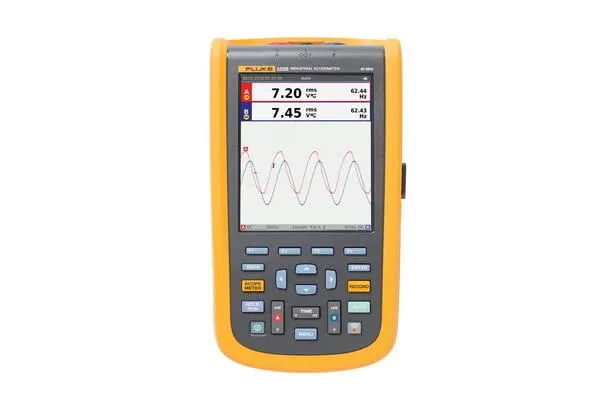
Best handheld for fieldworkFluke 123B/125B ScopeMeter20–40 MHzIsolated inputs, rugged, built for live industrial voltages
Best fieldbus/bus analyzerChauvin Arnoux OX9302-BUS300 MHzDedicated CAN, LIN, DALI, KNX qualification workflow
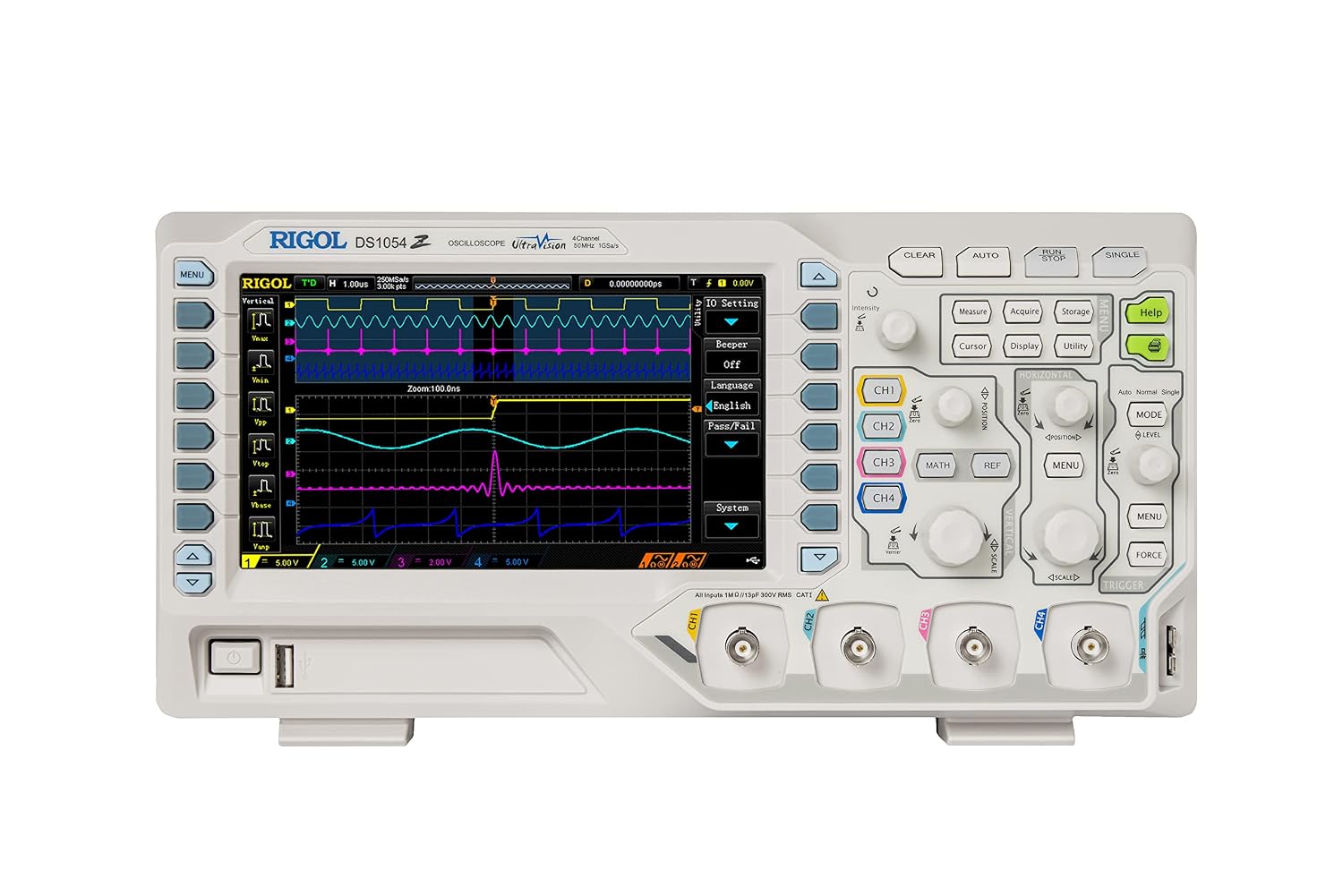
Best budget bench entryRigol DS1054Z50 MHz (hackable)4 channels, proven reliability, cheapest serious option
Best 3-in-1 for the toolbagHantek 2D72 / ZOYI ZT-703S50–70 MHzScope + meter + signal generator in one handheld

What Automation Technicians Actually Need in a Scope

Before you look at any model, get clear on the four requirements that separate an automation-ready scope from a generic hobby unit.

Isolated or floating inputs (the safety-critical one)

Most bench oscilloscopes share a common ground on all their BNC connectors, and that ground is tied to earth through the mains plug.

Clip that ground onto a live point in a control panel, a floating DC bus, or a phase of a VFD output, and you create a dead short through the scope. That destroys the instrument and can injure you.

For live industrial measurements, you want either a handheld scope with truly isolated channels (like the Fluke ScopeMeter family) or a bench scope used with proper differential probes.

This is the single most common mistake I see technicians make when they move from electronics to power and automation work.

Never float a standard bench scope by lifting its safety ground; it’s dangerous and against every safety standard worth following.

Bandwidth that matches your signals, not the spec sheet

Automation signals are slow compared to RF or high-speed digital. A 100 MHz oscilloscope handles the overwhelming majority of PLC I/O, encoder feedback, PWM inverter carriers, and control logic you’ll ever probe.

Industry guidance in 2026 broadly agrees that a well-engineered 100 MHz oscilloscope with 12-bit resolution strikes the optimal balance between performance, features, and price for embedded, automotive, and power electronics work.

The rule of thumb: pick a bandwidth at least 5x the fastest signal edge you need to see accurately.

For fieldbus and encoder work, 100 MHz is comfortable headroom. Handheld field scopes at 20–40 MHz are fine for control voltages, relay logic, and slower drives but come up short if you need to inspect fast-switching edges on modern IGBT inverters.

Channel count for real troubleshooting

Two channels let you compare a command signal against a response. Four channels let you watch a three-phase output, or a bus signal, alongside a trigger and a control line simultaneously. For automation, four channels is worth the modest price increase. You’ll use them.

Serial bus decode

This is the feature that turns a scope into an automation diagnostic tool. Decode for Modbus/RS-485, CAN, LIN, I2C, SPI, and UART lets you read the actual protocol traffic on screen instead of squinting at raw waveform edges.

If you troubleshoot networked devices, drives, or building automation, insist on it. Higher-end analyzers like the Chauvin Arnoux OX9302-BUS go further, offering a structured four-step qualification process for verifying signal quality across fieldbus protocols, including KNX, DALI, CAN, LIN, FlexRay, and Ethernet.

Bench vs. Handheld: Which One Do You Need?

This is the first real decision, and it comes down to where you work.

A benchtop scope gives you more bandwidth, more channels, a bigger display, and deeper memory for the same money.

It lives in the maintenance shop or panel-build area. If most of your diagnostic work happens at a workbench with the device in front of you, buy a bench.

A handheld scope trades some performance for portability, battery operation, and, critically, isolated inputs.

Handheld oscilloscopes excel in mobile applications like on-site industrial maintenance, offering battery-powered operation and integrated multimeter functions for quick measurements without external equipment.

If you’re up a ladder at a rooftop AHU or crouched in front of a live MCC, handheld wins every time.

Many working technicians end up owning both: a capable four-channel bench scope for the shop, and a rugged handheld for live field diagnostics.

If you can only buy one and you do live industrial work, buy the handheld with isolated inputs. Safety first.

The Best Bench Oscilloscopes for Automation

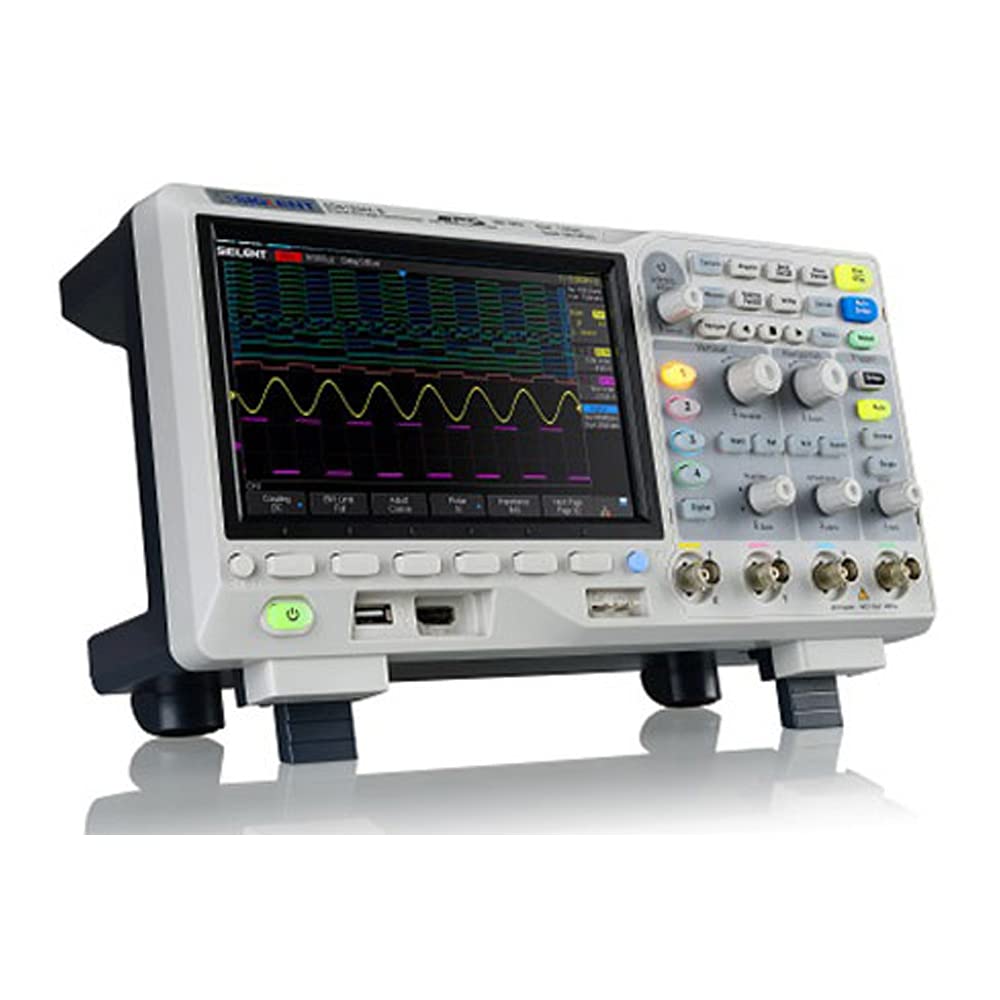
Siglent SDS1104X-E / SDS2000X-E : Best Overall Value

Siglent has become the default recommendation for working technicians who want professional capability without lab-grade pricing.

Siglent instruments cater specifically to electronic engineers and technicians</cite>, and the X-E series delivers four channels, 100–200 MHz bandwidth, serial decode across the common protocols, and a responsive interface.

For PLC, VFD, and general control troubleshooting at a bench, this is the sweet spot in 2026. Firmware support and community resources are strong.

Rigol DS1054Z: Best Budget Entry

The DS1054Z remains the cheapest genuinely serious four-channel scope you can buy. It’s an excellent choice for professionals who need advanced oscilloscope features combined with solid reliability.

Fifty MHz of bandwidth covers most control work, and it’s a proven, dependable first scope for a maintenance department on a tight budget.

Tektronix and Keysight: When Budget Isn’t the Constraint

If you work in a plant that specifies premium instruments, these are the reference brands.

Tektronix oscilloscopes are favored for high bandwidth, multi-channel capability, and an intuitive interface, with users appreciating their accurate measurements, reliability, and automation features.

You pay a premium, and for most automation troubleshooting you won’t use the extra headroom, but the build quality and long-term support are unmatched.

The Best Handheld Oscilloscopes for Field Work

Fluke 123B / 125B ScopeMeter: Best for Live Industrial Voltages

If you probe live panels, this is the tool. The Fluke 123B is one of the most trusted handheld scopemeters for industrial use and offers top-tier performance for industrial environments.

Isolated inputs, a rugged sealed body, and a meter built into the same unit make it the safe, practical choice for on-site diagnostics.

It costs more than the alternatives, and it’s worth it for the safety margin alone when you’re working on energized equipment.

Chauvin Arnoux OX9302-BUS: Best for Fieldbus Diagnostics

For technicians whose days revolve around networked devices and industrial buses, this is a specialist’s tool.

It’s built specifically for engineers and technicians working with industrial automation and communication protocols, with an intuitive human-machine interface and advanced bus analysis functions that simplify signal diagnostics across fieldbus protocols.

If KNX, DALI, CAN, and similar buses are your daily reality, the dedicated qualification workflow pays for itself.

Hantek 2D72 / ZOYI ZT-703S: Best Budget 3-in-1

For a tech who wants a scope, multimeter, and signal generator in one pocket-sized unit, these deliver remarkable value.

The ZOYI ZT-703S delivers strong value under $100 with dual-channel 50 MHz performance and an integrated high-count multimeter.

The tradeoff is a button-driven interface with a learning curve and a small screen. Treat these as capable utility tools for the toolbag rather than a replacement for a proper isolated field scope on live gear.

Specs Cheat Sheet for Automation Work

SpecMinimum for automationSweet spotNotes
Bandwidth20 MHz (handheld field)100 MHz (bench)5x your fastest edge
Channels24Four lets you watch three-phase + trigger
Sample rate500 MS/s1 GS/s+Higher = cleaner, fast edges
Vertical resolution8-bit12-bit12-bit reveals small anomalies on noisy lines
IsolationRequired for live workFully isolated channelsNon-negotiable for panel work
Serial decodeUART/RS-485+ CAN, LIN, SPI, I2CThe automation-specific must-have

How to Choose: A Quick Decision Path

  1. Do you probe live, energized industrial equipment? If yes, prioritize a handheld with isolated inputs (Fluke ScopeMeter). Safety outranks every other spec.
  2. Is most of your work at a bench with the device de-energized? Buy a four-channel bench scope (Siglent SDS1104X-E or Rigol DS1054Z).
  3. Do you troubleshoot fieldbus and networked devices daily? Get a serial decoder at minimum or a dedicated bus analyzer (Chauvin Arnoux OX9302-BUS).
  4. Tight budget, need one do-it-all tool? A 3-in-1 handheld (Hantek 2D72, ZOYI ZT-703S) covers basics, but don’t rely on it for live measurements above its isolation rating.

Frequently Asked Questions

What bandwidth oscilloscope do I need for PLC and VFD troubleshooting?

For most PLC I/O, encoder feedback, and VFD control work, 100 MHz on a bench scope is comfortable, and 20–40 MHz on a handheld is adequate for slower control voltages.

The general rule is to choose bandwidth at least five times the fastest signal edge you need to measure accurately. You rarely need more than 100 MHz for standard automation signals.

Can I use a regular bench oscilloscope on a live control panel?

Not safely. Standard bench scopes share a common earth ground across all inputs, so clipping the ground to a live or floating point creates a short circuit through the instrument.

For live industrial measurements, use a handheld scope with isolated inputs or a bench scope paired with proper differential probes. Never lift the scope’s safety ground to “float” it.

Do I need serial bus decoding on my oscilloscope?

If you troubleshoot networked devices, drives, or building automation systems, yes. Serial decode for Modbus/RS-485, CAN, LIN, SPI, and I2C lets you read actual protocol traffic on screen instead of interpreting raw edges by eye. It turns a general-purpose scope into a genuine automation diagnostic tool.

Is a handheld oscilloscope good enough, or do I need a benchtop?

It depends on where you work. Handheld scopes win for field diagnostics thanks to portability, battery power, and isolated inputs.

Bench scopes offer more bandwidth, channels, and screen real estate for the money and suit shop-based work.

Many technicians own both, but if your work is primarily on live equipment in the field, the isolated handheld is the priority purchase.

What’s the best budget oscilloscope for an automation technician?

The Rigol DS1054Z is the go-to budget bench scope, offering four channels and proven reliability at the lowest serious price point.

For a portable all-in-one, the Hantek 2D72 or ZOYI ZT-703S combines a scope, meter, and signal generator for under $100, though they’re best treated as utility tools rather than primary instruments for live industrial voltages.

The Bottom Line

The best oscilloscope for an automation technician is the one matched to your work, not the one with the biggest bandwidth number.

For bench troubleshooting, a four-channel 100 MHz Siglent gives you serial decode and Pro capabilities at a fair price.

For live field diagnostics, a Fluke ScopeMeter’s isolated inputs are worth every peso for the safety alone. And if fieldbus work dominates your day, a dedicated bus analyzer earns its keep fast.

Buy for the signals you actually chase, insist on isolation for anything live, and don’t overpay for bandwidth you’ll never use.

Get those three things right, and the scope will pay for itself the first time it finds a fault your multimeter never could.

Have a specific troubleshooting scenario, three-phase drive diagnostics, encoder faults, or a flaky Modbus line? Drop it in the comments, and I’ll point you to the right measurement setup.

Best Thermal Imaging Camera for Electrical Work (2026 Buyer’s Guide)

A loose lug on a busy distribution board doesn’t announce itself. It runs hot for weeks, sometimes months, until the insulation gives up and you’re looking at a burned-out panel, an outage, or a fire.

A thermal imaging camera turns that invisible problem into an obvious bright spot you can spot in a 30-second scan under load no contact, no shutdown, no guesswork.

If you’re an electrician, contractor, or maintenance tech deciding which thermal camera actually to buy in 2026, this guide cuts through the spec sheets.

Below you’ll find the specifications that matter for electrical work, the models worth your money at each budget, and how to match a camera to the kind of work you do.

Why Electricians Use Thermal Imaging

Thermal cameras detect infrared radiation and convert it into a visible heat map, letting you see temperature differences the naked eye can’t.

For electrical diagnostics, that’s a shortcut. Instead of systematically checking every connection on a loaded board or waiting for something to fail, you point the camera and instantly see which terminals, breakers, or conductors are running hot.

The payoff shows up in three areas: safety (finding faults before they become fires), speed (a fast scan replaces slow, systematic testing), and revenue (many contractors sell thermal inspections as a recurring service and as documentation for predictive maintenance programs).

Prices have dropped sharply over the last five years, so the tool now pays for itself after preventing a single serious fault.

Specs That Actually Matter for Electrical Work

Manufacturers list dozens of numbers. For panel and switchgear work, only a handful move the needle.

Detector Resolution

This is the single biggest factor in what you can actually see, and it’s measured in thermal pixels (not the visible-camera megapixels marketing loves to highlight). More pixels mean you can resolve a single hot terminal instead of a vague warm blob.

  • 160×120 (19,200 pixels): the practical minimum for professional electrical work. Adequate for spotting hot spots on panels at close range.
  • 256×192 to 320×240 (up to ~76,800 pixels): the sweet spot for professional diagnostics and clean report images. You see patterns and pinpoint the exact component.
  • 640×480 (307,200 pixels): industrial and thermography-grade, for detailed equipment diagnostics and quantitative analysis from a distance.

For most electricians, aim for at least 160×120 and buy the highest resolution your budget allows.

Thermal Sensitivity (NETD)

NETD (Noise Equivalent Temperature Difference), measured in millikelvin (mK), tells you the smallest temperature difference the camera can distinguish. Lower is better.

Under 50 mK is excellent; 50–70 mK is solid for standard professional work. Better sensitivity helps you catch early-stage faults before the temperature rise becomes dramatic.

Temperature Range and Accuracy

Make sure the camera covers the temperatures your systems reach under load. A range topping out around 150°C is fine for most electrical work, though industrial motors and process equipment can demand more.

Accuracy of roughly ±2°C is the norm and is plenty for spotting relative differences between phases or terminals.

Image Fusion (MSX / IR-Fusion)

FLIR’s MSX and Fluke’s IR-Fusion overlay the visible light image onto the thermal picture, embossing edges and text like the label on a breaker directly onto the heat map.

This is genuinely useful: it lets you identify which component is hot without cross-referencing a second photo, and it makes your reports far clearer to the client.

Build, Battery, and Connectivity

Job-site cameras need a decent IP rating against dust and splash and should survive a drop onto concrete.

Watch battery life. Several popular pocket models run about four hours, enough for a day if you carry a charger.

Cloud and app connectivity (FLIR Ignite, Fluke Connect) matters if you generate reports or run structured inspection routes.

Best Thermal Imaging Cameras for Electrical Work in 2026

Best Overall Pocket Camera: FLIR C5

The FLIR C5 is the camera most commonly recommended by electricians who’ve used several.

It’s a compact, pocket-sized unit with a 160×120 detector, a built-in visible camera with MSX fusion, and FLIR Ignite cloud connectivity for direct image upload.

Resolution is adequate for the vast majority of panel and distribution board inspections, the software ecosystem is the most mature in the business, and it lands in the roughly $500–$900 range.

The main limitation is around four hours of battery life. For most electricians, this is the default choice.

Best Value: HIKMICRO Pocket Series

HIKMICRO has become a serious value competitor, offering higher resolution per dollar than equivalent FLIR pocket models.

The Pocket 2, for example, delivers 256×192 resolution with standard radiometric features in roughly the $500–$700 range.

The trade-offs: the app ecosystem is less polished than FLIR Ignite, the visible camera is lower quality, and some clients have reservations about Hikvision-affiliated brands. If you prioritize image quality per dollar over brand recognition, it’s hard to beat.

Best for Professional Electricians: Fluke TiS75+

Fluke’s strength is electrical and test-equipment integration, and the TiS75+ hits a sweet spot between professional features and reasonable cost.

It packs a 384×288 detector (over 110,000 pixels), enough detail to diagnose from a safe working distance, plus Fluke Connect compatibility and Fluke’s rugged, well-earned build reputation.

It sits well above pocket-camera pricing (roughly $2,000–$4,500 depending on configuration), so it’s aimed at full-time pros who need documentation-grade results.

Best Industrial Workhorse: Fluke Ti300+ / FLIR E-Series

For maintenance teams scanning motors, bearings, switchgear, and panels day in and day out, step up to a dedicated industrial handheld.

The Fluke Ti300+ is a mid-range workhorse (roughly $5,000–$8,000 depending on lens), and FLIR’s E-series (E8 Pro, E54, E96) covers everything from 320×240 professional units to 640×480 thermography-grade cameras.

Preventing electrical failure or bearing seizure typically justifies the investment several times over.

Best New Feature Set: FLIR i65

Announced at CES 2026, the FLIR i65 is worth watching if you run structured inspections. It offers app-driven guided workflows that walk technicians through NFPA 70B inspections step by step without requiring a certified Level II thermographer, plus built-in LTE that uploads radiometric data in real time.

At 480×640 resolution with a 5-inch touchscreen, it’s designed to put professional inspection routines in the hands of general maintenance techs.

How to Choose the Right Camera for You

Match the tool to your workflow rather than chasing headline specs:

Occasional troubleshooting, tight budget

A FLIR C5 or HIKMICRO Pocket gives you standalone capability without phone dependency for well under $1,000.

Full-time contractor selling inspections

Move up to a Fluke TiS75+ or a FLIR E-series unit for the resolution and reporting features that produce defensible, client-ready documentation.

Industrial / predictive-maintenance program

A Fluke Ti300+ or FLIR E-series with radiometric per-pixel data and cloud route management earns its keep.

Two more practical notes. First, a brand tends to outlast the model. Standardizing on one ecosystem (FLIR, Fluke, or HIKMICRO) across your team compounds benefits in training, workflow, and calibration service.

Second, the camera is rarely the full cost: budget for a carrying case, and remember that thermal imaging is a skill.

A camera doesn’t interpret itself. Invest in training (ITC Level I or an equivalent) so you read the images correctly and don’t chase false positives.

The Bottom Line

For most electricians in 2026, the FLIR C5 remains the proven, do-everything pocket choice, while the HIKMICRO Pocket series wins on pure value, and the Fluke TiS75+ is the step-up for professionals who need higher resolution and documentation-grade reporting.

Whichever you choose, prioritize thermal resolution first, then sensitivity and image fusion, and pair the tool with the training to use it well.

A capable thermal camera no longer costs a fortune, and the first serious fault it catches usually pays for the whole investment.

Disclosure: This article may contain affiliate links. If you buy through them, we may earn a commission at no additional cost to you.

Always follow safe working practices and applicable electrical standards when performing live thermal inspections under load.

Best Non-Contact Voltage Tester: Top Picks for 2026

A non-contact voltage tester (NCVT) is the cheapest insurance policy in any electrical toolbox.

Hold the tip near a wire, outlet, or breaker, and it tells you whether the circuit is live, no bare-metal contact, no removing wire nuts, and no guesswork.

For anyone doing electrical work, from weekend DIYers to licensed electricians, it’s the tool that answers the only question that matters before you touch anything: is this energized?

This guide covers the best non-contact voltage testers you can buy right now, how to choose one, and the limitations you need to understand before you trust your safety to any of them.

Quick Picks

  • Best overall: Klein Tools NCVT3P, dual-range (12–1000V AC), built-in flashlight, LED bar graph, water/dust-resistant
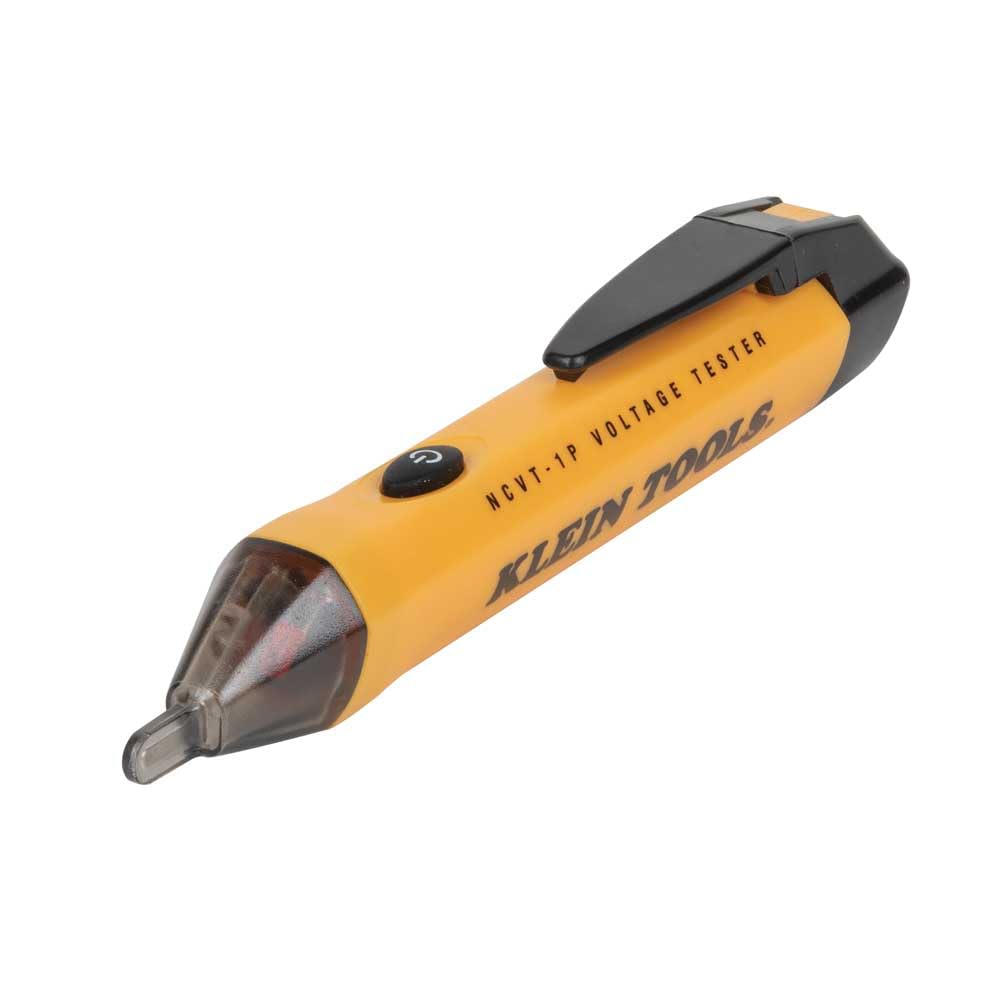
  • Best value: Klein Tools NCVT1P, reliable single-range detection at the lowest branded price
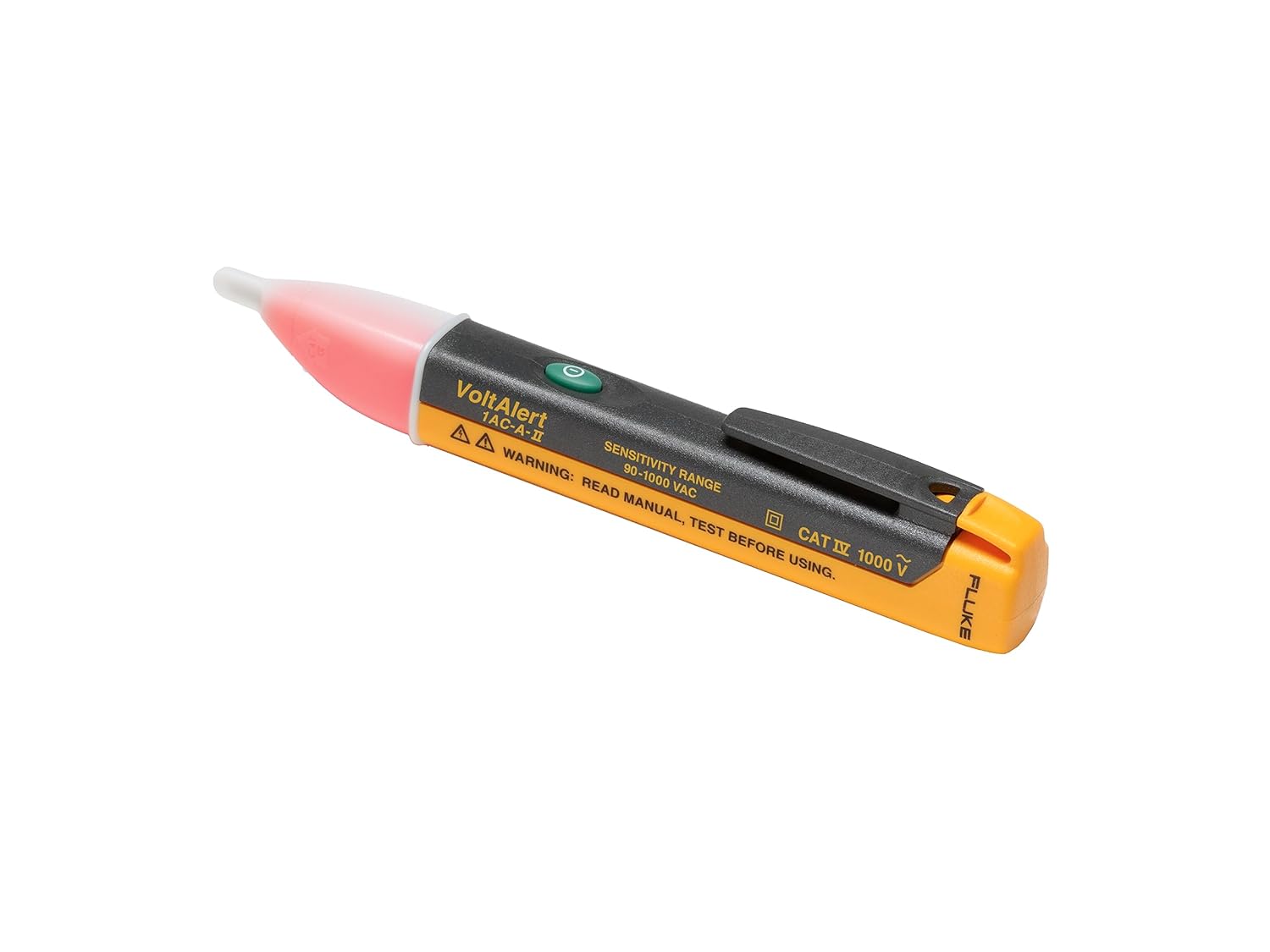
  • Best for pros: Fluke 1AC II VoltAlert, continuous self-test, bulletproof reputation
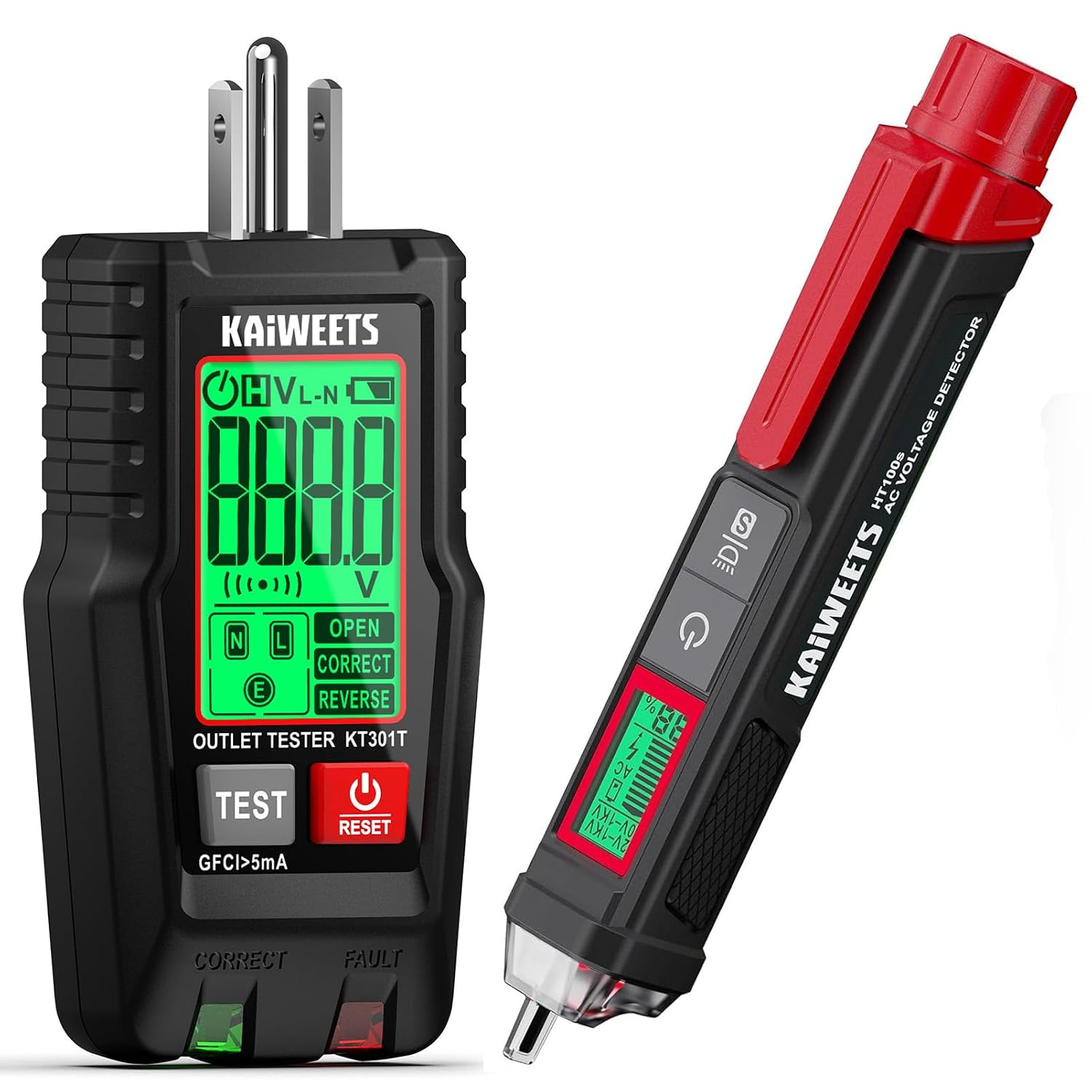
  • Best budget with extras: KAIWEETS HT100s, LCD, and signal percentage at a low price

How a Non-Contact Voltage Tester Works

An NCVT detects the electromagnetic field that surrounds any conductor carrying alternating current.

When the sensor tip enters that field, the tester alerts you with a light, a beep, or both without ever making electrical contact.

This mechanism has one important consequence: non-contact testers only detect AC voltage, not DC.

Direct current produces a static field rather than the oscillating field the sensor needs, so an NCVT won’t help you on solar arrays, battery systems, or automotive circuits. For those, you need a contactless multimeter.

It’s also why testers can occasionally give a false reading near a static charge or induced voltage on a nearby wire.

An NCVT tells you a field is present; confirming a circuit is truly dead is a job for a two-point contact tester when the stakes are high.

What to Look For

Voltage range

Single-range testers (typically 90–1000V AC) cover standard household and commercial power but ignore low-voltage control circuits.

If you touch doorbells, 24V thermostats, landscape lighting, or irrigation controllers, choose a dual-range model that detects down to 12V.

Safety rating (CAT rating)

The CAT rating tells you the transient surge environment a tool is built to survive. CAT IV is the highest and is what you want for anything near a service entrance, meter, or panel. Cheap unrated testers are a false economy on a tool whose whole purpose is safety.

Alerts

Look for both audible and visual indications. A beep you can hear over a running HVAC unit plus an LED you can see in a dark crawl space means you won’t miss the warning.

Self-test

The single most dangerous failure mode is a false negative—a tester that stays silent on a live wire.

Models with a self-test feature (or a habit of testing on a known-live circuit first) protect you from a dead battery or failed sensor.

Build and ingress protection

An IP67 rating means dustproof and waterproof, which matters if you work outdoors or in wet locations. Drop resistance is worth having too.

The Best Non-Contact Voltage Testers

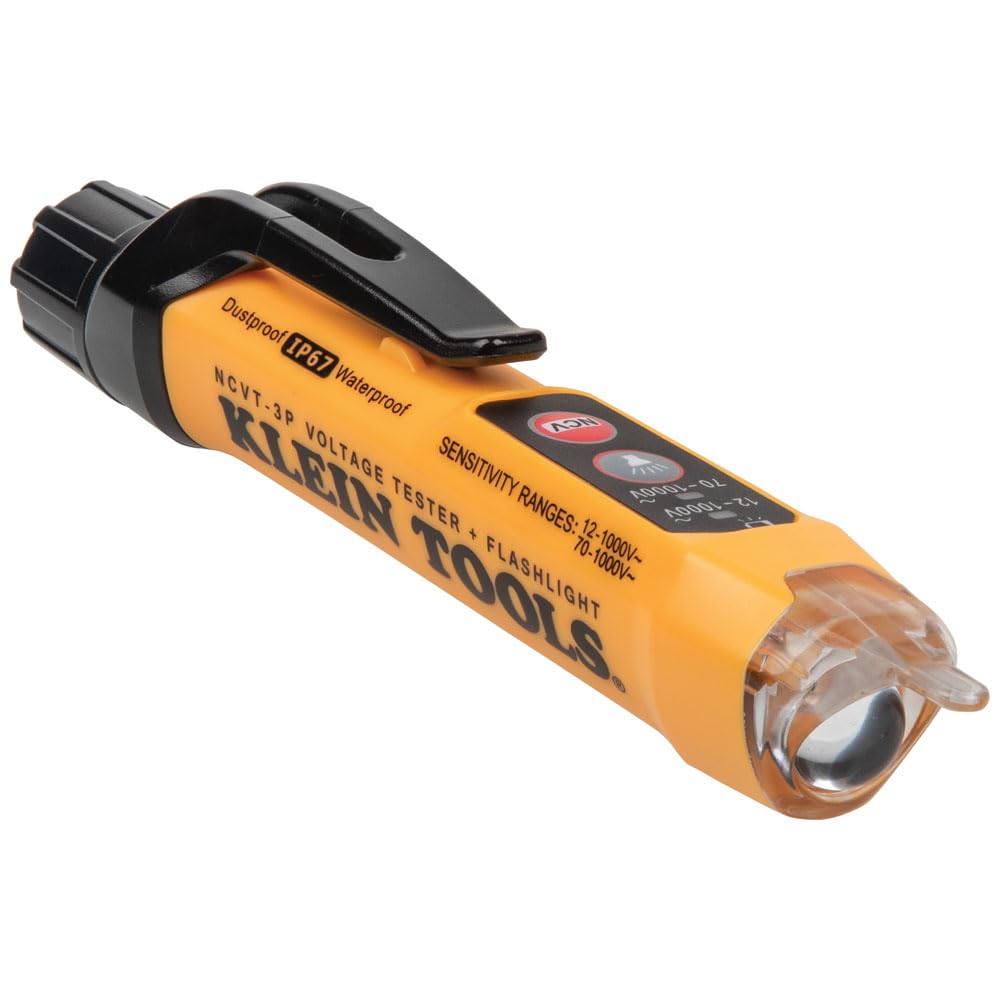
Klein Tools NCVT3P: Best Overall

The NCVT3P is the tester most people should buy. It offers dual-range detection, 12 to 1000V AC in low-voltage mode and 70 to 1000V AC in standard mode, so it handles everything from thermostat wiring to a full 240V circuit.

An LED bar graph lights up more segments the stronger the field, giving you a rough sense of proximity to the source, and it signals with simultaneous light and sound.

Two features push it ahead of its own siblings: a genuinely useful integrated flashlight that works independently of the detection function and a screw-thread battery cap with an O-ring that seals out dust and water. It also auto-powers-off to save battery.

For residential and light commercial work, it covers virtually every scenario. Typical street price sits around $17–25.

Klein Tools NCVT1P: Best Value

If you don’t need the low-voltage range or the flashlight, the NCVT1P delivers Klein’s core reliability at the lowest branded price, often just under $18.

It’s a single-range tester (roughly 50–1000V AC) with the same audible and flashing LED alerts and the same trusted build.

For a homeowner who wants a tool that simply works when checking outlets and breakers, it’s hard to beat, and thousands of reviewers back that up.

Fluke 1AC II VoltAlert: Best for Professionals

Fluke’s 1AC II is the tester many electricians reach for by default. It covers 90 to 1000V AC, and its standout feature is continuous self-test: it constantly verifies its own circuitry so you always know it’s working, which directly addresses the false-negative risk.

The tip glows red, and the unit beeps when voltage is detected. It’s CAT IV rated, pocket-sized, and shrugs off drops. It costs a few dollars more than the Klein entry models, but for a tool you’re staking your safety on, the decades of proven reliability justify it.

KAIWEETS HT100s: Best Budget with Extras

For buyers who want more features per dollar, the KAIWEETS offers dual-range detection plus an LCD, a signal-strength percentage, and a wire-breakpoint finder, all at a price that undercuts the name brands.

It’s a lot of capability for the money and a solid pick for a DIYer building out a kit, provided you verify it against a known-live circuit before trusting it.

Comparison at a Glance

ModelRange (AC)Dual-RangeSelf-TestFlashlightBest For
Klein NCVT3P12–1000VYesNoYesOverall use
Klein NCVT1P~50–1000VNoNoNoValue
Fluke 1AC II90–1000 VNoContinuousNoProfessionals
KAIWEETS HT100s12–1000VYesNoNoBudget + features

Safety: How to Use an NCVT Correctly

A voltage tester is only as trustworthy as your habits with it. The professional rule is live-dead-live:

  1. Test the NCVT on a circuit you know is energized to confirm it works.
  2. Test the circuit you intend to work on.
  3. Test the known-live circuit again to confirm the tester is still working.

A few more things worth knowing:

  • NCVTs generally cannot detect voltage through walls, thick conduit, or shielded cable. A “no voltage” result on a buried or sheathed conductor doesn’t guarantee the wire is dead.
  • Treat every conductor as live until you’ve proven otherwise.
  • For anything high-stakes, confirm with a contact tester or multimeter. NFPA 70E’s test-before-touch requirement exists because no single tool is infallible.
  • Replace batteries proactively; a weak battery is the most common cause of a silent tester.

The Bottom Line

For most people, the Klein Tools NCVT3P is the best non-contact voltage tester of 2026. Its dual-range detection, flashlight, and weather sealing cover nearly any job.

Budget-focused buyers get excellent reliability from the Klein NCVT1P, while professionals who want the reassurance of continuous self-testing should choose the Fluke 1AC II VoltAlert.

Whichever you pick, remember that the tool tells you what’s live—your procedure keeps you safe.

Test before you touch, verify on a known source, and never assume a wire is dead just because a pen stayed quiet.

Best Insulation Resistance Tester (Megohmmeter): 2026 Buyer’s Guide

A multimeter tells you whether a circuit is live. A megohmmeter tells you whether it’s safe, whether the insulation around a motor winding, a feeder cable, or a switchgear busbar will still hold back leakage current a year from now.

In my work commissioning and maintaining industrial control and safety systems, the insulation resistance tester is the one instrument that catches failures before they trip a plant.

This guide is built for people who actually use these tools: maintenance electricians, commissioning engineers, panel builders, and reliability technicians.

I’ll walk through the specs that decide whether a tester fits your job, then give tiered recommendations from a sub-$1,000 field workhorse up to a 5 kV diagnostic instrument.

If you only want the short version, the comparison table below covers it, but the buying criteria are where most people either save money or avoid a mismatch.

Best Insulation Resistance Tester

ModelMax test voltageMax resistance rangeDiagnostic testsBest for
Fluke 15071000 V10 GΩPI, DARLV troubleshooting & general field work
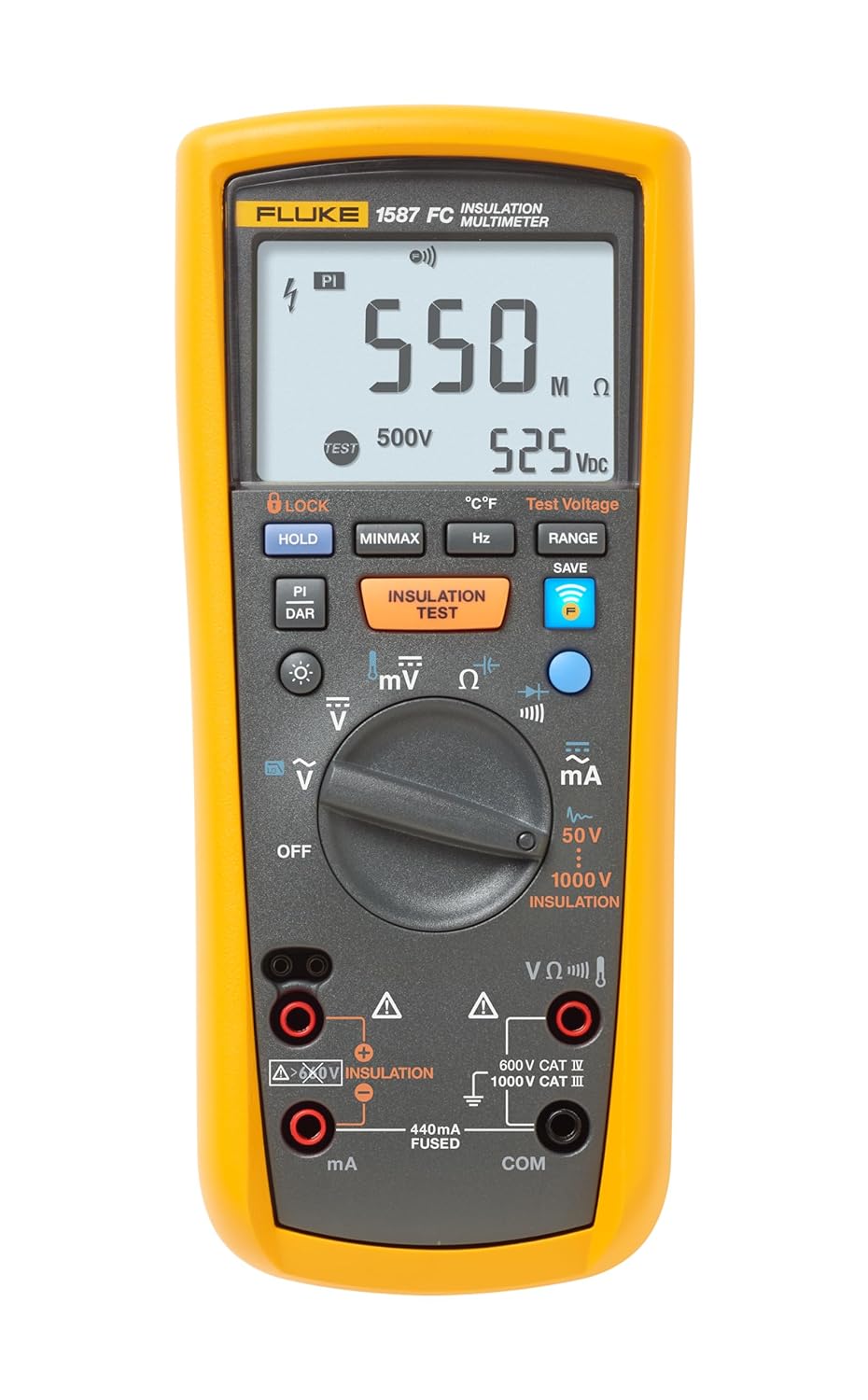
Fluke 1587 FC1000 V2 GΩPI, DAR (plus full TRMS DMM)Techs who want a megger + multimeter in one
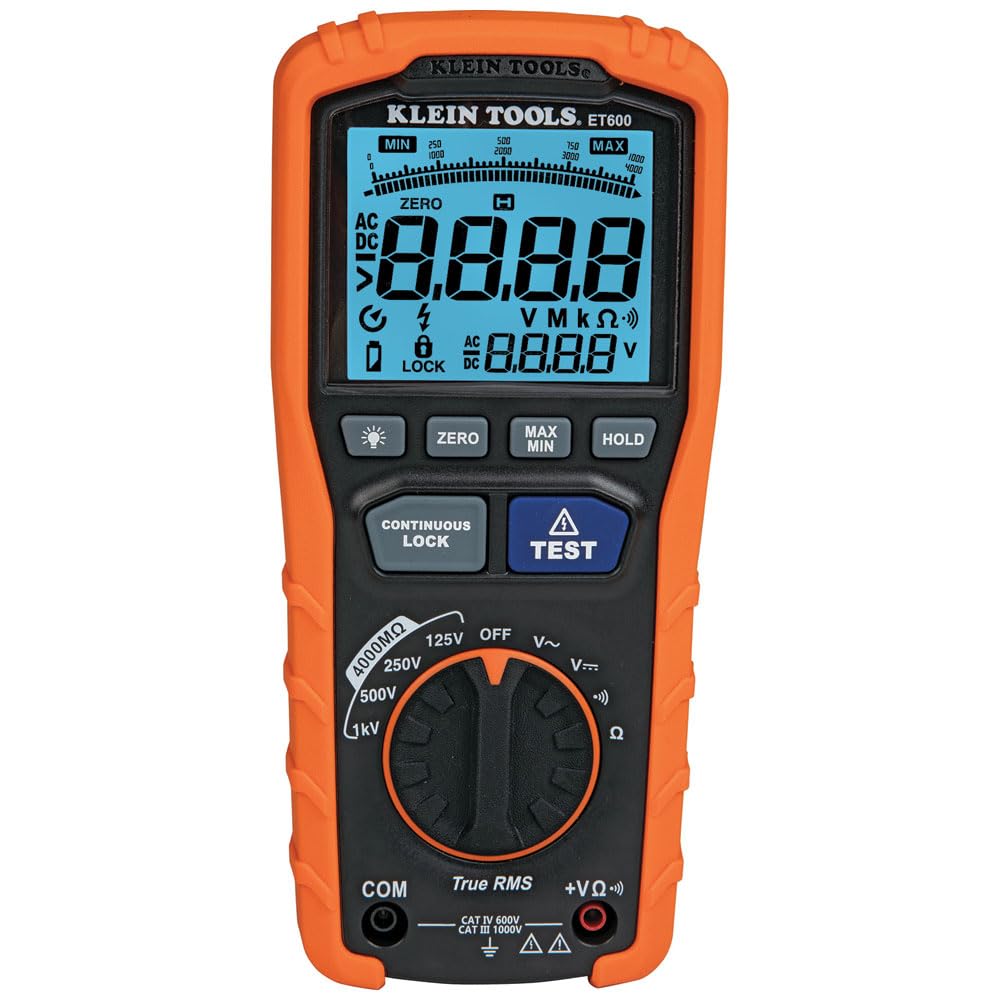
Klein ET6001000 V4000 MΩBasicBudget-conscious residential/light commercial
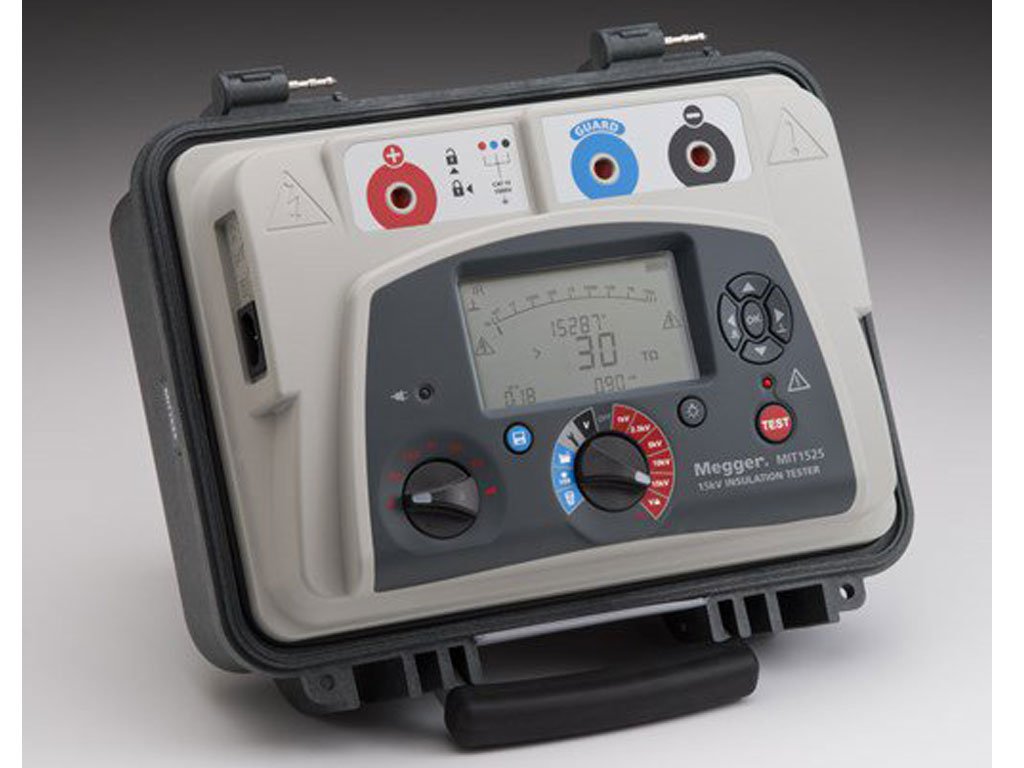
Megger MIT5255000 V10 TΩPI, DAR, DD, SV, Ramp + memoryMotors, MV cables, switchgear, documented PM

Prices move around, so I’ve avoided pinning exact figures. Check current listings before you buy.

As a rough guide, in 2026, the entry 1 kV units sit under or around the $900 mark, the Fluke combo lands near four figures, and the 5 kV diagnostic class runs into several thousand dollars.

How a Megohmmeter Actually Works (and Why It Matters for Buying)

An insulation resistance tester applies a known DC test voltage across insulation and measures the tiny leakage current that flows through it.

From that current, it calculates resistance typically reported in megohms, gigaohms, or teraohms.

Healthy insulation gives a high, stable reading; damp, contaminated, or aged insulation reads low or drifts downward as you watch.

DC is used deliberately. Unlike AC, a stable DC voltage stresses the insulation without the capacitive complications, giving you a repeatable number you can trend over the life of the asset.

That word, “trend,” is where insulation testing earns its keep. A single reading tells you far less than the same reading taken every six months and plotted against its own history.

Two consequences for buying follow directly from the physics.

Test voltage has to match the equipment

Test too low, and you can mask a weakness that only shows up under real operating stress; test too high, and you risk over-stressing otherwise good insulation.

Low-voltage work lives at 250 V, 500 V, and 1000 V. Motors, medium-voltage cables, and switchgear need 2.5 kV or 5 kV to be tested meaningfully.

The resistance range has to be high enough

Modern insulation is genuinely good, so a tester that tops out at a few hundred megohms can’t distinguish “excellent” from “merely adequate.”

Reaching into the gigohm or teraohm region is what lets you separate a healthy machine from one that’s quietly degrading.

What to Look For in an Insulation Resistance Tester

Test voltage range

Buy for the highest-voltage asset you’ll realistically test, not the average. A 1000 V tester is perfect for building wiring, control panels, and small motors.

The moment you’re responsible for medium-voltage cable, large motors, or switchgear, you need a 5 kV instrument. No amount of feature checking substitutes for it.

Resistance measurement range

For general LV maintenance, 10 GΩ (as on the Fluke 1507) is plenty. For predictive trending on high-value apparatus, you want the teraohm reach of a 5 kV unit like the Megger MIT525, which measures up to 10 TΩ.

Higher ceilings let you replace the old, ambiguous “infinity” reading with an actual number you can log and compare.

Diagnostic test modes (PI, DAR, DD, and beyond)

A bare resistance number is pass/fail thinking. The diagnostic modes turn one reading into a condition assessment:

  • DAR (Dielectric Absorption Ratio), a short ratio (typically 60 s / 30 s) that flags moisture and contamination quickly.
  • PI (Polarization Index), a 10-minute / 1-minute ratio, the classic health check for motor and generator windings.
  • DD (Dielectric Discharge) probes multi-layer insulation for a specific weak layer.
  • SV (Step Voltage) and Ramp apply increasing voltage to reveal weaknesses that only appear under higher stress.

Entry testers give you PI and DAR, which covers most field needs. The full suite (DD, SV, and Ramp) is the domain of diagnostic instruments and matters most for motors, generators, and capital equipment you’re trying to keep in service for decades.

Safety rating (CAT rating)

Insulation testing puts you in contact with energized and high-energy circuits. Look for a CAT III or CAT IV rating appropriate to where you’ll work.

The Megger MIT525, for example, is rated CAT IV 600 V on all terminals, the right class of protection for substation and industrial environments.

Automatic discharge

After a test, the capacitance in a cable or winding stays charged at the test voltage a genuine hazard.

Automatic discharge, where the instrument bleeds that charge off through an internal resistor when the test ends, isn’t a convenience feature. Treat it as mandatory. Every unit I recommend here has it.

Memory, logging, and reporting

If your insulation tests feed a maintenance record or a compliance report, on-board memory with time-stamped storage and PC download changes the job.

Instead of copying numbers onto a clipboard, you store, date-stamp, and transfer readings.

The tester becomes part of the documentation workflow rather than a step before it. This is a defining strength of the 5 kV diagnostic class.

Battery life and power flexibility

For a handheld you carry all day, battery endurance matters. The Fluke 1587 FC will run roughly 1000 insulation tests on a fresh set of alkalines.

On the diagnostic side, rapid-charge batteries plus the ability to run from line power on a dead battery, as the MIT525 offers, keep a commissioning day moving.

The Best Insulation Resistance Testers of 2026

Best Overall for Field Work: Fluke 1507

The Fluke 1507 is the tester I’d hand most electricians and maintenance techs. It offers five test voltages, 50 V, 100 V, 250 V, 500 V, and 1000 V, and measures from 0.01 MΩ up to 10 GΩ, which covers the overwhelming majority of low-voltage troubleshooting, commissioning, and preventive-maintenance work.

It calculates PI and DAR automatically. Has a compare (pass/fail) function for repetitive testing, a remote test probe for hard-to-reach points, live-circuit detection that blocks a test if it sees more than 30 V, and automatic capacitive discharge.

It’s compact, rugged, and does one job extremely well. If your world is buildings, panels, and small-to-medium motors, this is the sweet spot.

Best for: LV maintenance, commissioning, general field troubleshooting.

Skip it if you need to test medium-voltage cable or large machines. It stops at 1000 V.
Best All-in-One: Fluke 1587 FC

The 1587 FC combines a 1000 V insulation tester with a full-featured true RMS digital multimeter in one handheld.

If you’re tired of carrying a megger and a DMM, this is the answer. On the insulation side, it offers 50 V, 100 V, 250 V, 500 V, and 1000 V test voltages and reads up to 2 GΩ; on the multimeter side, you get AC/DC voltage and current, resistance, continuity, capacitance, diode test, temperature, and frequency, plus a VFD low-pass filter for accurate readings on motor drives. Fluke Connect wireless lets you log and share results from your phone.

The trade-off versus the 1507 is a lower insulation ceiling (2 GΩ vs. 10 GΩ) in exchange for the multimeter.
For a lot of techs, one tool that does both is worth more than a slightly higher resistance range.

Best for: technicians who want a single tool for troubleshooting and insulation checks. Skip it if you rarely need a DMM and want maximum insulation range instead.

Best Budget Pick: Klein Tools ET600

If you need real insulation-testing capability without professional-instrument pricing, the Klein ET600 is a sensible entry. It’s an auto-ranging TRMS multimeter with megohmmeter functionality, offering 125 V, 250 V, 500 V, and 1000 V test voltages, and it ships with CAT III/CAT IV-rated leads, a case, and batteries.

Its resistance ceiling (4000 MΩ) and diagnostic depth are modest next to the Fluke units, so treat it as a capable tool for residential and light-commercial work rather than a substitute for a dedicated industrial megger.

Best for budget-conscious electricians and residential and light commercial service.

Skip it if you need PI/DAR-driven predictive maintenance or a high resistance range.

Best for Motors, MV Cable & Switchgear: Megger MIT525

When the job moves up to 5 kV, the Megger MIT525 is my pick. It delivers a continuously adjustable output up to 5 kV and measures insulation up to 10 TΩ, the reach you need to trend high-quality insulation on capital equipment rather than staring at an “infinity” symbol.

Crucially, it carries the full diagnostic suite: timed IR, PI, DAR, DD, step voltage, and ramp, so you can characterize how insulation behaves under stress rather than settle for a single number.

It’s built for the environments where that matters. All terminals are rated CAT IV 600 V (to 3000 m altitude).

It uses a dual-case design with a fire-retardant inner case, and it stores time-stamped results in on-board memory for USB download into your maintenance records.

Rapid-charge batteries plus line-power operation on a dead battery keep it working through a commissioning day. A PI-predictor function shortens the classic 10-minute PI test.

This is the instrument for anyone whose reports have to stand up to scrutiny — where evidence, repeatability, and documentation matter as much as the reading itself.

Best for: motors, generators, medium-voltage cable, switchgear, documented predictive maintenance.

Skip it if you only ever work at low voltage; you’d be paying for capability you won’t use.

A Note on the Very High End

Above the handheld 5 kV class sit the substation-grade instruments combined test sets from the likes of Doble, Omicron, and larger Megger units that bundle insulation resistance with power-factor, tan-delta, and other high-voltage diagnostics.

These are five-figure, dedicated-team instruments, not personal tools. If you’re a field engineer doing commissioning, a 5 kV handheld like the MIT525 (or the larger MIT1025) is the right primary instrument; the big test sets are shared resources you book, not gear you carry.

Also worth knowing: PV-specific insulation testers (such as the Fluke 1587 FC SOLAR and Megger MIT525 variants tuned for solar arrays) account for array voltage and add daytime-testing interlocks relevant if solar is part of your scope.

How to Choose: A Simple Decision Path

Match the tester to the highest-voltage, highest-value asset you’re responsible for:

  1. Residential/light commercial, tight budget? Klein ET600.
  2. General LV maintenance and commissioning? Fluke 1507.
  3. Want one tool for insulation and everyday electrical measurement? Fluke 1587 FC.
  4. Motors, MV cable, switchgear, or you need documented PI/DD/SV testing? Use the Megger MIT525.

Buy for the top of your range, not the middle. The most common regret I see is someone buying a 1000 V unit, then landing a medium-voltage job six months later and having to buy again.

Frequently Asked Questions

What is the difference between a megohmmeter and a multimeter?

A multimeter measures voltage, current, and low resistance on live or de-energized circuits.

A megohmmeter applies a high DC test voltage (250 V to 5 kV or more) to measure the very high resistance of insulation, a value a standard multimeter can’t reach.

Combo units like the Fluke 1587 FC do both, but a true megger is defined by its high-voltage insulation function.

What test voltage should I use?

Match it to the equipment rating. A common rule of thumb is to test at roughly the equipment’s rated voltage or a step above: 500 V or 1000 V for typical LV systems, and 2.5 kV or 5 kV for medium-voltage cables, large motors, and switchgear. Testing too low can hide a fault; testing too high can stress good insulation.

What is a good insulation resistance reading?

Higher is better, but the number depends on the equipment, its rated voltage, and temperature.

More important than any single value is the trend: a reading that’s steady or rising over time is healthy, while a steady decline signals degradation even if the absolute number still looks acceptable. This is why logging and diagnostic ratios (PI, DAR) matter.

What are PI and DAR tests?

Both are ratios of readings taken at different times during a single test. DAR (Dielectric Absorption Ratio) compares readings at 60 and 30 seconds to flag moisture and contamination quickly.

PI (Polarization Index) compares the 10-minute reading to the 1-minute reading and is the standard health check for motor and generator windings. A rising ratio indicates good insulation; a flat one suggests trouble.

Do I need a 5 kV tester?

Only if you work on medium-voltage cable, large motors and generators, or switchgear. For building wiring, control panels, and small motors, a 1000 V tester like the Fluke 1507 is the correct choice. A 5 kV unit would be paying for a range you’ll never use.

Is automatic discharge really necessary?

Yes. Cables and windings behave like capacitors and stay charged at the test voltage after a test ends, which is a shock hazard.

Automatic discharge safely bleeds that energy off through the instrument. Don’t buy a tester without it.

This guide reflects hands-on experience with industrial control, motor, and safety system maintenance.

Always follow your site’s electrical safety procedures, wear appropriate PPE, and confirm circuits are de-energized and isolated before insulation testing.

Best Process Calibrator: A Field Engineer’s Guide to Choosing the Right One (2026)

If you work with pressure transmitters, thermocouples, RTDs, or 4-20 mA loops, a reliable process calibrator is the single most important tool in your kit.

It’s the difference between trusting your instrument readings and second-guessing every commissioning report.

But “best” depends heavily on what you actually calibrate day-to-day, so this guide breaks down the top process calibrators by use case, which specs genuinely matter, and how to avoid overpaying for features you’ll never use.

What a Process Calibrator Actually Does

A process calibrator sources and measures the electrical and physical signals used in industrial instrumentation.

In practice, that means it can simulate a sensor’s output (source mode) or read the output of an instrument (measure mode), so you can verify accuracy against a known reference.

The core signals a good calibrator handles include the following.

  • mA (current): sourcing and measuring 4-20 mA loops, the backbone of process control
  • Voltage: millivolt and volt ranges for sensor simulation and readback
  • Thermocouples: typically types J, K, T, E, R, S, B, N with cold-junction compensation
  • RTDs: Pt100 and other resistance sensors
  • Frequency and pulse: for flow meters and turbine sensors
  • Pressure: either built-in or via external modules

The more of these a single unit covers, the fewer tools you carry into the field, but multifunction units cost more and can be overkill for a technician who only ever works loops.

The Specs That Actually Matter

Marketing sheets list dozens of numbers. Only a few change your work.

Accuracy

Look at the accuracy as a percentage of reading plus a fixed offset. A spec like ±0.01% of reading is meaningful; a vague “high accuracy” claim is not.

Your calibrator should be at least four times more accurate than the instrument you’re verifying (the 4:1 test accuracy ratio); otherwise, you’re not proving much.

HART communication

If your plant runs smart transmitters, a calibrator with built-in HART capability lets you trim and configure devices without carrying a separate communicator. This alone justifies the price jump for many teams.

Loop power / 24V supply

The ability to power a transmitter directly from the calibrator saves you from rigging a separate power source every time you test a device on the bench.

Documenting vs. non-documenting

Documenting calibrators store results and sync to calibration management software, which is essential if you’re held to ISO, FDA, or API audit requirements.

If you’re a maintenance tech doing quick field checks, a non-documenting unit is lighter and cheaper.

Ruggedness and IP rating

Field work destroys fragile tools. An IP-rated, drop-resistant enclosure earns its keep quickly.

Best Process Calibrators by Use Case

Best Overall Multifunction: Fluke 754

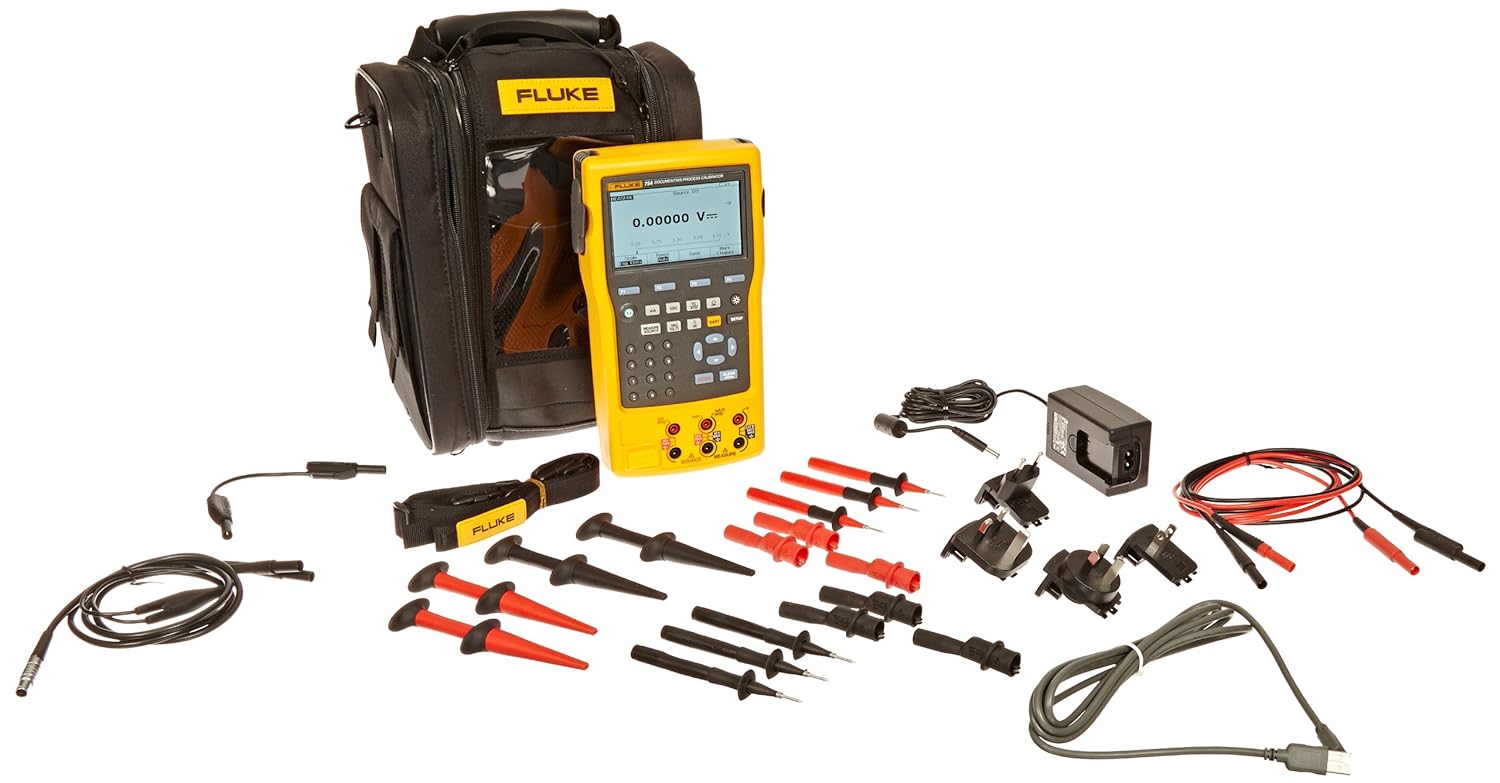
The Fluke 754 remains the benchmark documenting process calibrator for a reason. It sources and measures mA, voltage, RTDs, thermocouples, frequency, and pressure (with external modules), includes HART communication, and documents results for upload to calibration management software.

It’s expensive, but for a calibration lab or a plant with strict traceability requirements, it pays for itself in audit readiness and reduced tool count.

Best for: Calibration labs, regulated industries, teams needing full documentation and HART.

Best Value Loop Calibrator: Fluke 789 ProcessMeter

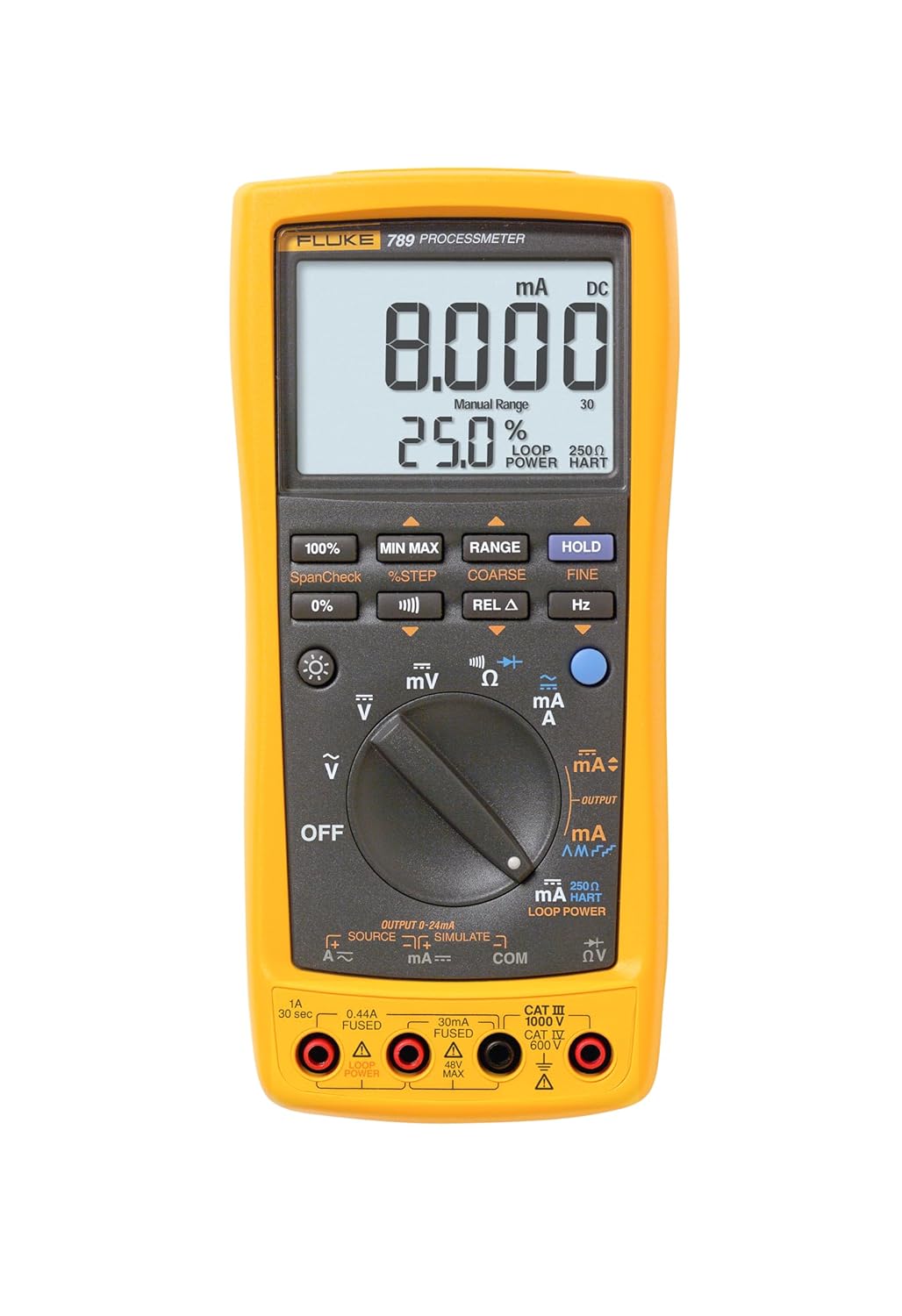
If most of your day is spent on 4-20 mA loops, the Fluke 789 combines a full digital multimeter with a loop calibrator and 24V loop power.

You get mA source and measurement, loop simulation, and standard DMM functions in one rugged unit. It’s the tool that lives in a maintenance tech’s bag.

Best for: Maintenance technicians and loop troubleshooting where documentation isn’t required.

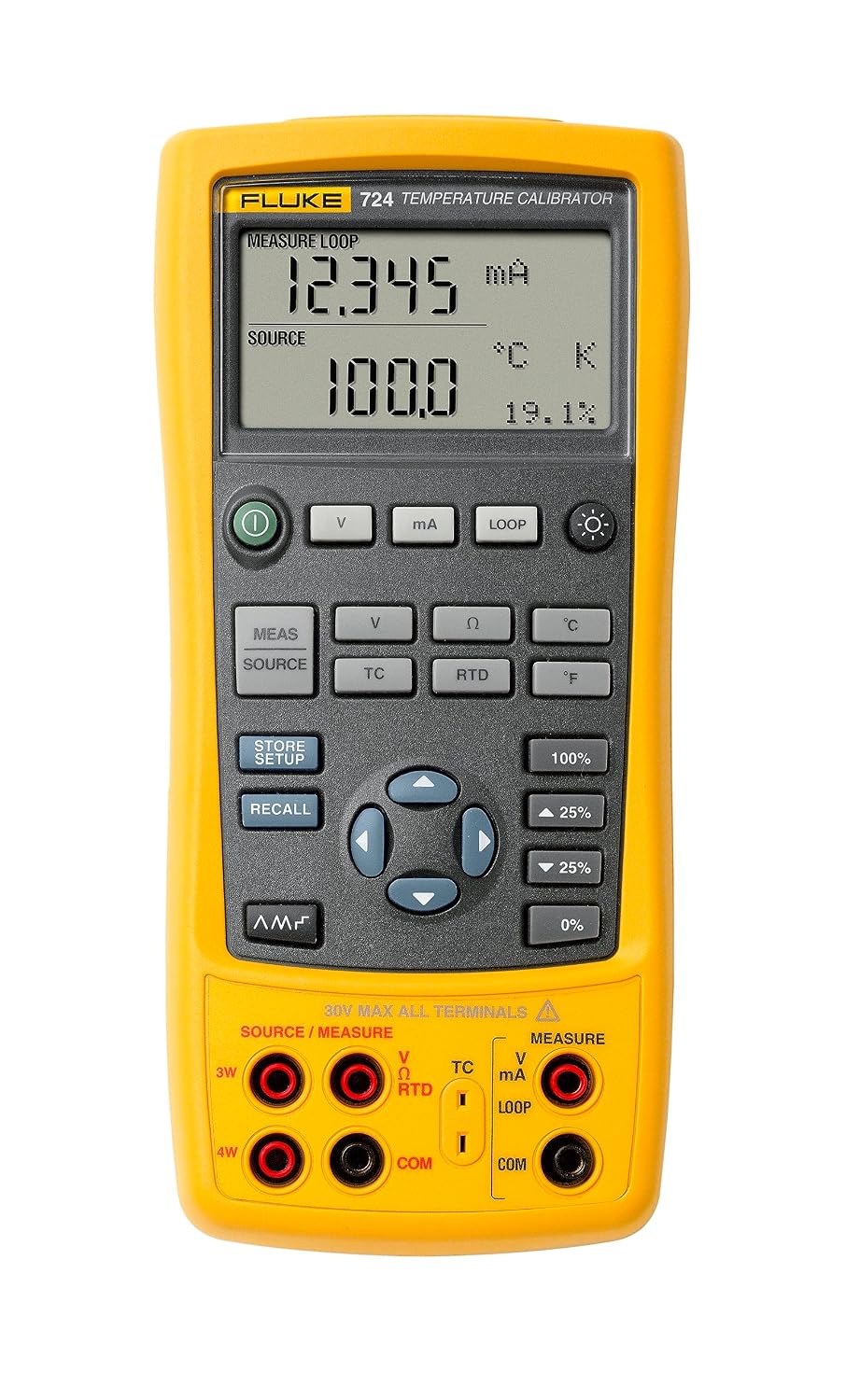
Best Temperature-Focused: Additel or Fluke temperature calibrators

For teams doing heavy thermocouple and RTD work, a dedicated temperature calibrator with high resolution and low uncertainty outperforms a generalist.

Brands like Additel and Fluke offer units optimized for temperature sensor calibration with better cold-junction handling.

Best for: thermal-heavy processes, food and pharma, dryer and furnace instrumentation.

Best Budget Option: Entry-level multifunction calibrators

Brands like Additel, Time Electronics, and Meco offer capable multifunction calibrators at a fraction of the price of a Fluke 754.

You give up some accuracy, ruggedness, and software integration, but for a small shop or a technician getting started, they deliver the core sourcing and measuring functions reliably.

Best for: Small teams, budget-constrained shops, and technicians building a first kit.

How to Choose the Right One for You

Ask yourself three questions before buying:

  1. Do I need documentation? If audits and traceability matter, buy a documenting calibrator — retrofitting that capability later means buying twice.
  2. Do I work with smart transmitters? If yes, HART support is non-negotiable and saves you a second tool.
  3. What do I actually calibrate most? Match the tool to your daily work. A loop tech doesn’t need a full multifunction unit; a lab can’t get by with a loop calibrator.

Buying the most expensive calibrator you can afford is not the same as buying the right one.

The best process calibrator is the one that covers the signals you touch every day, meets your accuracy requirements with margin to spare, and survives the environment you work in.

Maintaining Calibrator Accuracy

Even the best calibrator drifts. To keep yours trustworthy:

  • Send it for annual calibration against a traceable standard (NIST or equivalent)
  • Store it in a stable environment away from temperature extremes
  • Keep the calibration certificate on file for audit purposes
  • Verify against a known reference before critical jobs

A calibrator that’s out of calibration is worse than no calibrator at all, because it gives you false confidence.

Final Thoughts

There’s no single “best process calibrator” for everyone. There’s the best one for your work.

For most plants with regulatory obligations, the Fluke 754 is the safe, capable standard. For loop-focused maintenance, the Fluke 789 offers unbeatable practicality.

And budget multifunction units from Additel and others have closed much of the gap for smaller operations.

Whatever you choose, prioritize accuracy margin, the signals you actually use, and documentation if your industry demands it. Get those three right and the tool will serve you for years.

Best PLC for Beginners: Starter Kits Compared (2026 Guide)

Choosing your first programmable logic controller feels harder than it should. Every brand claims to be the easiest to learn, the software licensing is confusing, and the price gap between a hobby kit and a “real” industrial unit can be enormous.

This guide cuts through that by comparing the best PLC starter kits for beginners in 2026 with actual prices, the software you’ll actually use, and honest recommendations based on where you want your automation skills to go.

Whether you’re a student, a maintenance technician looking to move up, or an engineer switching disciplines, the right starter kit gets you writing and testing real ladder logic within an afternoon.

What Makes a Good Beginner PLC?

Before comparing specific kits, it helps to know what actually matters when you’re starting.

Three factors decide whether your first PLC becomes a rewarding learning tool or an expensive paperweight.

Software cost and availability

Some manufacturers give away fully featured programming software; others gate it behind expensive licenses.

For a beginner, free or low-cost software is close to non-negotiable, because you’ll want to experiment without watching a license clock.

Hardware cost

A good learning kit should include the controller, programming software, and cabling so you can get running quickly.

You don’t need to spend hundreds of dollars to learn the fundamentals of ladder logic and I/O wiring.

Industry relevance

The concepts transfer between platforms, but the specific software and hardware you learn can shape your resume.

If you already know which industry you want to work in, choosing a controller that’s common in that field is a smart shortcut.

Keep those three levers in mind as you read the comparisons below. The “best” kit genuinely depends on which one matters most to you.

The Best PLC Starter Kits for Beginners in 2026

Here are the standout options this year, from the most budget-friendly to the most industry-focused.

AutomationDirect CLICK: Best Budget Pick

The CLICK line from AutomationDirect is widely considered the most cost-effective way to get real hardware on your bench.

The AutomationDirect CLICK PLC (C0-01DD1-D, ~$100) combined with free programming software is the most cost-effective option.

The standard C0-01DD1-D unit provides eight discrete DC inputs and six sinking outputs, requires a 24 VDC supply, and includes battery backup.

The biggest draw for beginners is the software. The CLICK programming software is fully free with no limitations, and it uses a simplified instruction set ideal for beginners.

That combination of low hardware cost and zero-cost, no-strings software is hard to beat when you’re just learning how inputs, outputs, and rungs work.

The CLICK family was designed around simplicity from the start. CLICK PLCs were designed with simplicity in mind, providing reliable control at a low cost and with little to no learning curve, making them a good fit for small machines, home automation projects, and budget-conscious control.

If you later want more, the CLICK PLUS PLCs use the same free programming software but add advanced capabilities like motion control, Wi-Fi communication, and data logging.

Best for: Absolute beginners, hobbyists, and anyone who wants maximum learning per dollar.

Allen-Bradley MicroLogix 1100: Best for Industry Relevance

If your goal is a career in North American manufacturing, Allen-Bradley (Rockwell Automation) is the name you’ll see most on plant floors.

The Allen-Bradley MicroLogix 1100 (1763-L16BWA, ~$150) offers better industry relevance than the budget options, which can make the extra cost worthwhile.

The software story is beginner-friendly too. Rockwell offers a free RSLogix Micro Starter Lite (limited version) that supports MicroLogix 1000 and 1100 controllers, and its interface is identical to the paid RSLogix 500, so ladder logic you develop transfers directly to hardware.

In other words, you learn the real Rockwell environment without paying for the full license up front.

Best for: Career-focused learners aiming at industries where Allen-Bradley dominates.

Siemens S7-1200 Starter Kit: Best for Learning TIA Portal

Siemens is the other giant of industrial automation, especially outside North America, and the S7-1200 is its entry-level workhorse.

The Siemens S7-1200 Trainer Kit is one of the most relevant options for learning real industrial PLC programming, and Siemens PLCs are very common in industrial automation with TIA Portal as a major platform.

A typical starter kit is well-rounded. The Siemens S7-1200 starter kit includes an S7-1212C PLC, TIA Portal Basic programming software (lifetime access version), an 8-point input I/O simulator, an Ethernet cable, and a hard plastic Systainer storage box with a built-in 120 VAC power supply.

Newer kits add extra communication value as well. This model also includes a basic runtime license for OPC UA to help move data to and from the PLC to other applications like data historians, which is a capability older versions lacked.

The main trade-off is TIA Portal’s steeper learning curve compared to CLICK’s simplified environment, but that investment pays off if Siemens is common in your target industry.

Best for: Learners who want to master TIA Portal and Siemens ladder logic for European or Siemens-heavy plants.

Siemens LOGO! Starter Kit: Best Simple All-in-One

If the S7-1200 feels like too much, Siemens LOGO! is the friendlier sibling. The LOGO! 12/24RCE V8.4 starter kit is an all-in-one solution for beginners and professionals that includes the LOGO! 12/24RCE controller, LOGO! Soft Comfort programming software, a power supply, a screwdriver, and a Systainer case.

It also ships with documentation and tutorials aimed at beginners, plus compatibility with a wide range of sensors and actuators.

LOGO! sits somewhere between a smart relay and a full PLC, which makes it excellent for home automation and simple control tasks while still teaching core logic concepts.

Best for: Beginners who want a gentle, self-contained introduction without a steep software curve.

Arduino PLC Starter Kit: Best Modern Learning Kit

For makers and IoT-minded learners, the Arduino approach feels more contemporary than a bare controller with loose wires.

The Arduino PLC Starter Kit (AKX00051) is built around the Arduino Opta PLC and is described as an all-in-one educational solution for industrial automation, with digital and analog I/O, sensors, actuators, relays, communication modules, Wi-Fi, Bluetooth, cloud integration, and over 20 hours of online learning content.

The structured content is the real advantage here. Its biggest strength is that it is designed as a learning kit rather than a loose PLC with wires, and guided learning content is very valuable for someone starting from zero.

You’ll pick up automation fundamentals alongside modern IoT and cloud-monitoring concepts.

Best for: Makers, students, and anyone interested in IoT and cloud-connected automation.

Quick Comparison Table

Starter KitApprox. PriceSoftwareBest For
AutomationDirect CLICK (C0-01DD1-D)~$100Free, no limitsBudget learning
Allen-Bradley MicroLogix 1100~$150Free Starter LiteNorth American industry
Siemens S7-1200 TrainerVariesTIA Portal Basic (kit-included)Siemens/TIA Portal skills
Siemens LOGO! Starter KitVariesLOGO! Soft ComfortSimple all-in-one
Arduino PLC Starter Kit (AKX00051)VariesArduino IDE / PLC IDEIoT & guided learning

Prices reflect recent listings and will vary by region and stock. Always check the manufacturer’s current pricing before ordering.

Do You Even Need Hardware to Start?

Here’s a money-saving truth: you can learn the fundamentals of ladder logic entirely in software before buying anything.

Simulators like LogixPro ($30–60) or the free RSLogix Micro Starter Lite with an emulator allow complete learning without hardware, though physical hardware provides valuable I/O wiring experience.

There are strong free options too. OpenPLC Editor is widely considered the best free PLC simulator for beginners in 2026, and free simulators now cover every major brand from Siemens to Allen-Bradley.

A sensible path is to practice programming in a simulator first, then buy a low-cost kit like the CLICK once you’re ready to wire real inputs and outputs.

How to Choose the Right Starter Kit for You

Match the kit to your goal rather than chasing the “best” label:

  • On a tight budget or just curious? Start with the AutomationDirect CLICK. Free software and ~$100 hardware make it the lowest-risk entry point.
  • Aiming for a manufacturing job in North America? The Allen-Bradley MicroLogix 1100 puts you in the Rockwell ecosystem employers expect.
  • Targeting Siemens-heavy or European industry? The S7-1200 and TIA Portal are the skills that matter, even with a steeper learning curve.
  • Want something simple and self-contained? The Siemens LOGO! kit gets you controlling real devices fast.
  • Into IoT, maker projects, or guided lessons? The Arduino PLC Starter Kit bundles hardware, connectivity, and 20+ hours of learning content.

Whichever you pick, the concepts you learn, scan cycles, rungs, inputs, outputs, and timers carry across every platform. Your first PLC is a stepping stone, not a lifelong commitment.

Final Verdict

For most beginners, the AutomationDirect CLICK is the smartest starting point: it’s the cheapest real hardware, the software is genuinely free with no limits, and the learning curve is gentle.

If you already know you’re heading toward a specific industry, let that decide: Allen-Bradley for North American plants and Siemens S7-1200 for Siemens-dominated environments.

Start with a free simulator, buy an affordable kit when you’re ready to wire real I/O, and build small projects.

That combination will teach you more than any single piece of hardware ever could.

Prices and product details in this article were current as of 2026 and can change. Always confirm specifications and pricing directly with the manufacturer or an authorized distributor before purchasing.

Best PLC Programming Books: Beginner to Advanced

Programmable logic controllers still run the physical world: conveyors, boilers, packaging lines, water treatment plants, and the building automation systems I work with every day.

And despite an ocean of YouTube tutorials and paid online courses, a good book remains the most cost-effective way to build the deep, structured understanding that makes you dangerous on the plant floor.

Books are typically priced between about $5 and $40 for eBooks (textbooks run higher). They’re written by people with decades of hands-on experience, and they don’t expire the moment a vendor pushes a software update.

The problem isn’t finding a PLC book. It’s finding the right one for where you are. A complete beginner needs plain-language fundamentals and ladder logic.

An engineer who already knows the basics needs vendor-specific depth or a structured text deep dive.

And every working automation professional eventually wants a reference book that lives on the desk for those “How does this instruction actually behave?” moments.

This guide sorts the best PLC programming books into three tiers: beginner, intermediate, and advanced/reference, so you can buy the one that matches your level instead of guessing. For each book, I note who it’s for, what’s strong, and what’s missing.

How to Choose a PLC Programming Book

Before the list, three quick filters that will save you money:

Match the book to the hardware you’ll actually touch

If you know you’ll be programming Allen-Bradley PLCs in Studio 5000 / RSLogix or Siemens in TIA Portal, a vendor-specific book beats a generic one every time. If you don’t know yet, start vendor-agnostic and specialize later.

Match the book to your learning style

Some books teach the why first (theory, control concepts, systematic understanding). Others are hands-on and get you writing ladder logic on page ten. Neither is better. They suit different people.

Buy used where possible

PLC fundamentals barely change year to year. A used copy of a canonical textbook at a fraction of the new price teaches the same ladder logic, timers, and counters as the current edition.

Beginner PLC Programming Books

These assume zero prior knowledge. Start here if terms like “rung,” “scan cycle,” and “normally open contact” are new to you.

Programmable Logic Controllers: Frank D. Petruzella

This is the classic first-course textbook, used in engineering and technical programs for decades.

Petruzella focuses on how PLCs actually work and gives genuinely practical information on installing, programming, and maintaining PLC systems, deliberately complementing (not replacing) manufacturer manuals.

It teaches in a generic sense but leans on Allen-Bradley SLC 500 and ControlLogix instruction sets for its examples, so it doubles as a soft on-ramp to Allen-Bradley.

Topics are broken into small, digestible segments with review problems at the end of each chapter, covering everything from number systems and logic fundamentals through timers, counters, data manipulation, math instructions, installation, troubleshooting, and an intro to SCADA.

  • Best for: students, apprentices, and complete beginners who want a structured, classroom-grade foundation.
  • Strong: clear, systematic, well-illustrated; excellent breadth; a recognized standard.
  • Missing: It’s a textbook, so it’s pricier new. Buy an earlier edition used.

Beginner’s Guide to PLC Programming: Neal Babcock

A gentler, more conversational entry point than a full textbook, aimed squarely at people who just want to understand ladder logic and start writing simple programs without wading through control theory first. It’s widely circulated and has helped a lot of self-taught people get their first working program running.

  • Best for: self-study learners who want the fastest path to writing basic ladder logic.
  • Strong: approachable tone, practical focus, low friction.
  • Missing: limited depth on advanced topics. You’ll outgrow it, which is fine.

Bolton: Programmable Logic Controllers

W. Bolton’s compact introduction has been an entry-level standard, particularly in the UK and Europe, for years.

It covers basics through intermediate concepts in roughly 300 pages without the bulk of a full US textbook.

  • Best for: UK/European learners and anyone who prefers a concise book over a doorstop.
  • Strong: brevity and clarity; good value.
  • Missing: depth on advanced and vendor-specific topics.

Intermediate PLC Programming Books

You know the fundamentals: ladder logic, I/O, timers, counters. Now you want to go deep on a specific vendor platform or a specific language.

Allen-Bradley: RSLogix / Studio 5000 Practical Guides

If your shop runs Allen-Bradley, get a book built around your exact software environment. There are well-regarded practical guides specifically for RSLogix 5000 / Studio 5000 (ControlLogix and CompactLogix) and separate ones for the older RSLogix 500 (MicroLogix / SLC 500). Buy the one that matches your controller family.

The tag-based addressing in Logix 5000 is genuinely different from the file-based addressing in RSLogix 500, and a mismatched book will frustrate you.

  • Best for: engineers and technicians committed to the Allen-Bradley ecosystem.
  • Strong: hands-on walkthroughs of the actual IDE you’ll use daily; cheap eBooks.
  • Missing: Narrow by design, they won’t help you on a Siemens job.

Siemens: TIA Portal / S7-1200 & S7-1500 Guides

The Siemens equivalent. Look for books that walk through the TIA Portal environment and target the S7-1200 (for smaller applications) or S7-1500 (for larger/higher-performance ones).

Good ones cover hardware configuration, tag handling, and diagnosing common fault and error codes, the kind of practical friction that generic books skip.

  • Best for: engineers working in Siemens-heavy plants (common in Europe and multinational manufacturing).
  • Strong: platform-specific configuration and troubleshooting details.
  • Missing: again, single-vendor scope.

PLC Controls with Structured Text (ST)

Once you move beyond ladder logic, structured text is the language you’ll reach for on complex logic, math, and reusable function blocks.

A dedicated ST book is the cleanest way to learn it well, and it’s widely regarded as the go-to for that language specifically.

Because structured text is part of the IEC 61131-3 standard, what you learn transfers across vendors far better than ladder-only knowledge.

  • Best for: intermediate programmers ready to write cleaner, more maintainable code.
  • Strong: focused, transferable, increasingly relevant as projects grow more complex.
  • Missing: it’s language-specific; you still need the platform knowledge from the vendor books above.

Advanced & Reference PLC Programming Books

These are the desk books, the ones you don’t read cover to cover but reach for when you hit a specific, gnarly question.

Programmable Logic Controllers: An Emphasis on Design and Application: Kelvin Erickson

Version 1.0.0

A more rigorous, engineering-school treatment that goes past “how to write a rung” into system design, application patterns, and the reasoning behind good architecture. This is the book for engineers who want to design robust automation systems, not just make a light turn on.

  • Best for: degree-track engineers and anyone moving into system design responsibility.
  • Strong: design methodology and depth beyond typical intro texts.
  • Missing: heavier going; not a gentle first read.

Programmable Logic Controllers: Khaled & Eman Kamel

A thorough technical resource that bridges theory and hands-on practice across industrial automation systems, including more advanced programming techniques such as structured text. It’s substantial enough to serve as a long-term reference.

  • Best for: learners who want theory and practice in one comprehensive volume.
  • Strong: breadth, technical depth, staying power on the shelf.
  • Missing: less “quick start,” more “sit down and study.”

An IEC 61131-3 Reference

IEC 61131-3 is the international standard that defines the five PLC programming languages (ladder diagram, function block diagram, structured text, instruction list, and sequential function chart).

A dedicated reference on the standard is invaluable once you’re working across multiple vendors or writing portable, standards-compliant code. This is reference material, not a tutorial. You’ll consult it, not read it front to back.

  • Best for: senior engineers, integrators, and anyone working across mixed-vendor sites.
  • Strong: vendor-neutral authority; the definitive source on language behavior.
  • Missing: dry and technical, exactly what a reference should be.

Comparison Table: Best PLC Programming Books by Level

BookLevelBest ForVendor Focus
Petruzella: Programmable Logic ControllersBeginnerStudents, apprenticesGeneric (AB examples)
Babcock: Beginner’s Guide to PLC ProgrammingBeginnerFast self-studyGeneric
Bolton: Programmable Logic ControllersBeginnerConcise UK/EU introGeneric
RSLogix / Studio 5000 practical guidesIntermediateAllen-Bradley shopsAllen-Bradley
TIA Portal / S7 guidesIntermediateSiemens shopsSiemens
PLC Controls with Structured TextIntermediateLearning STVendor-neutral language
Erickson: Emphasis on Design and ApplicationAdvancedSystem designersGeneric
Kamel & Kamel: Programmable Logic ControllersAdvancedTheory + practice referenceGeneric
IEC 61131-3 referenceAdvancedCross-vendor / integratorsStandard

A Suggested Learning Path

If you’re starting from zero and want a concrete route:

Foundations

Read Petruzella (or Babcock if you want something lighter) to understand how PLCs work, ladder logic, and the scan cycle.

Specialize

Pick up the vendor guide for the hardware you’ll actually use: Allen-Bradley or Siemens. This is where you go from “understands PLCs” to “can program this PLC.”

Level up your code

Work through a structured textbook to write cleaner, more scalable logic.

Keep on the desk

Add a design-focused book (Erickson or Kamel) and an IEC 61131-3 reference as career-long companions.

    Pair whichever books you choose with actual practice. A free PLC simulator or a cheap trainer kit turns passive reading into muscle memory faster than anything else.

    Reading about a timer instruction and watching one misfire in simulation are two very different levels of understanding.

    Frequently Asked Questions

    What is the best PLC book for absolute beginners?

    For a structured, classroom-grade foundation, Petruzella’s Programmable Logic Controllers is the standard first-course text.

    If you’d rather have something lighter and faster, Neal Babcock’s Beginner’s Guide to PLC Programming gets you writing ladder logic sooner with less theory.

    Should I buy an Allen-Bradley or Siemens book?

    Buy for the hardware you’ll actually use. Allen-Bradley dominates North American manufacturing; Siemens is more common in Europe and many multinational plants.

    If you don’t know yet, start with a vendor-agnostic book and specialize once you know your platform.

    Do I need to learn structured text, or is ladder logic enough?

    Ladder logic is the best place to start and is enough for a lot of discrete control. But as projects get more complex, heavy on math, data handling, and reusable function blocks, structured text becomes far cleaner.

    Because it’s part of the IEC 61131-3 standard, structured text also transfers well between vendors.

    Are free PLC programming PDFs worth it?

    Some canonical texts circulate freely online, and they’re genuinely useful for fundamentals.

    Just make sure you’re getting a version that matches the software you’ll use, and buy a current edition if you need up-to-date vendor specifics or want to support the authors who write these books.

    Can I learn PLC programming from books alone?

    You can build strong theoretical knowledge from books alone, but pairing them with a simulator or a trainer kit is what makes it stick.

    Automation is a hands-on discipline. The books give you the map, and the practice gives you the terrain.

    Want to go deeper on the systems these controllers plug into? Explore our guides on BACnet, Modbus, and building management systems here on Control Circuitry.